




- Perfality
- October 24, 2026
- 12:39 pm
- Read Time: 10 mintues
You upload 400 rows, wait for the import to finish and find that some products went live, some did not, and a few say the product does not exist. A Best Buy catalog upload feels unpredictable until you know how the import reads each row. Then it becomes a short, repeatable routine.
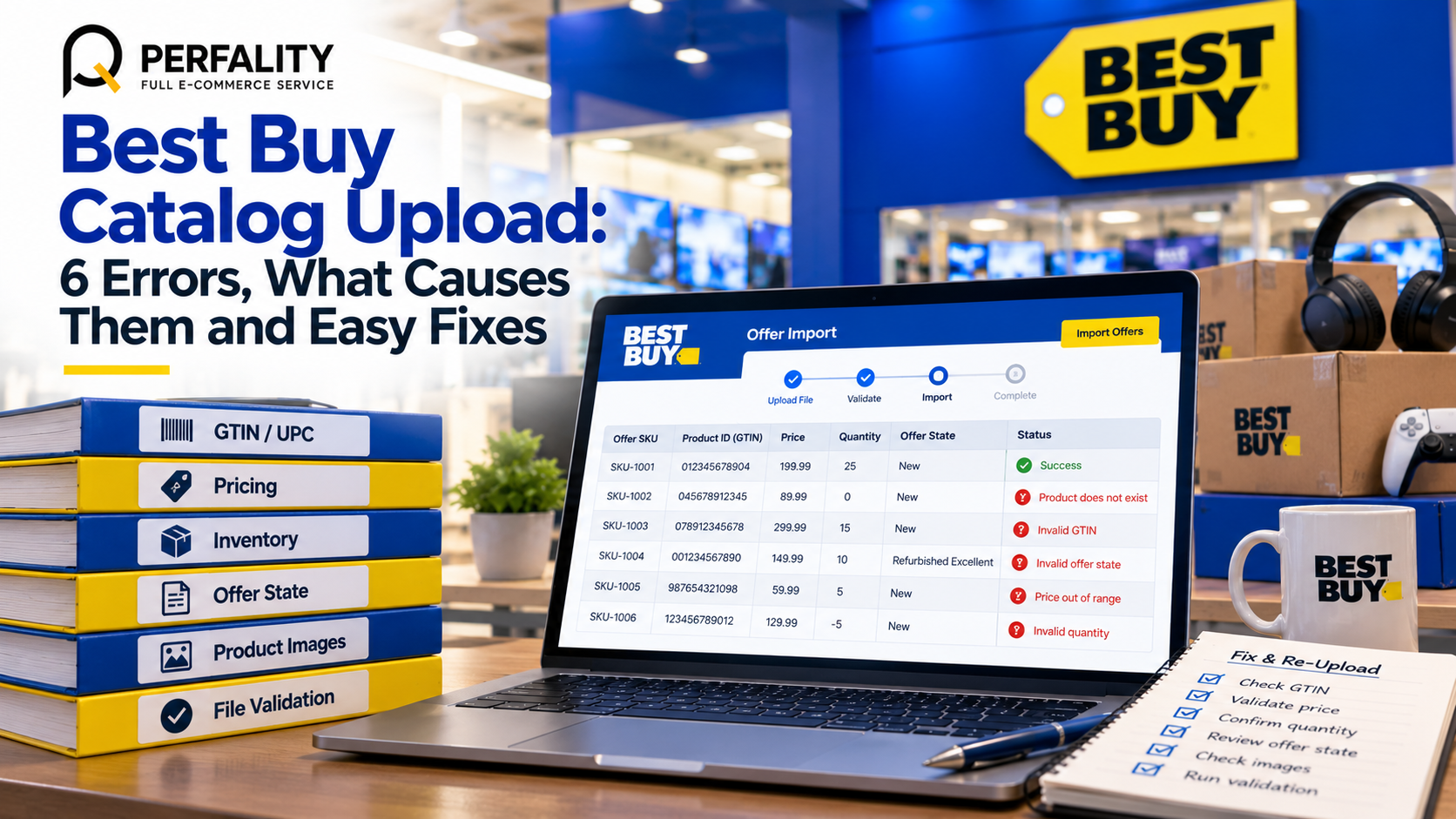
This guide is an error clinic. We explain how the Best Buy offer import works, then go through six errors, what causes each one and the quickest fix. The process comes from Best Buy’s Seller Hub guide to listing existing items, and we add practical habits that make a Best Buy catalog upload safer to run.
How a Best Buy Catalog Upload Works
There are two kinds of upload. An offer-only upload attaches your price and stock to products that already exist in Best Buy’s catalog. A new product upload creates a product page from your content first. The Best Buy offer import described here covers the first kind, which is the faster route when your item is already on the site.
The matching key is the GTIN, the UPC or EAN printed on the barcode. Each row’s Product ID holds that value, and the Product ID Type is set to GTIN. If Best Buy finds the GTIN, your offer is attached. If it does not, you will see an error.
The offers file, column by column
In the Marketplace Portal, go to Price and stock, then File imports, and generate an Offers Excel template. Fill it in as follows.
Column | What goes in it | Tip |
A: Offer SKU | Your own unique identifier | Using the UPC or model number reduces errors |
B: Product ID | The UPC, EAN or GTIN | Keep leading zeros, which spreadsheets like to delete |
D: GTIN | The GTIN again | Check it matches column B |
F: Offer Price | Your selling price or a placeholder | Use a placeholder for coverage tests |
H: Offer Quantity | Optional stock count | Zero means the offer is deactivated |
J: Offer State | New or Refurbished Excellent | Refurbished is subject to the secondary products guidelines |
To run the Best Buy offer import, choose Import an inventory file, set File content to Offers and Import mode to Normal, and start the import. You can follow progress under Track offer imports.
6 Errors in a Best Buy Catalog Upload and How to Fix Them
Each error below is described in the order most sellers meet them. Some come directly from the import messages and others from how the process behaves.
Error 1: “The product does not exist”
This message means the GTIN is not in Best Buy’s catalog. It is not a bug in your file. Those items must be created as new products, which needs full content from the product data standards.
Before you create anything, check that the GTIN is correct and complete. A dropped leading zero is a common cause. If the barcode is right and the product is genuinely new to Best Buy, move it to your new product list.
Error 2: Leading zeros and mismatched IDs
Spreadsheets treat a UPC as a number and remove its leading zeros. The result looks like a valid code but matches nothing. Format the Product ID and GTIN columns as text before you paste. Then confirm the Product ID Type is GTIN on every row, since that is the key Best Buy uses to match.
Error 3: Offers that never go live
Offers with a quantity of zero are deactivated. This is useful on purpose, but it surprises sellers who left the quantity blank or at zero by accident. Offers with quantity zero stay inactive until you re-upload them with a real quantity. After every Best Buy catalog upload, open Price and stock, then Offers, and confirm the live count.
Error 4: Duplicate or messy SKUs
Column A is your own identifier, and it must be unique. Sellers often reuse a style code across sizes, or change formats between files. Best Buy suggests the UPC or model number to reduce errors. Whatever you choose, keep it stable, because every later Best Buy offer import depends on it.
Error 5: Fixing the whole file instead of the flagged rows
When some rows fail, download the error report from the Errors column. Rows that are not on the report succeeded. Verify them under Price and stock, then Offers. Fix only the flagged rows and re-upload those. Re-importing everything wastes time and can overwrite good data.
Error 6: The wrong offer state
The Offer State accepts New or Refurbished Excellent. Refurbished listings fall under the secondary products guidelines, so they carry extra rules. If you list a returned item as New by mistake, you risk a bad customer experience and an incident. Keep refurbished stock in its own file.
A Safe Three-Pass Method for Every Best Buy Catalog Upload
The quantity rule suggests a very useful trick. Because offers with quantity zero stay inactive, you can test your whole catalog without going live. Best Buy describes this as a way to check coverage.
- Coverage pass. Run the Best Buy offer import with quantity set to zero. Nothing goes live. The error report tells you which GTINs are missing from the catalog.
- Creation pass. Build new products for the missing GTINs, using content that meets the Best Buy product data standards from our catalog data standardization guide.
- Go-live pass. Upload again with real prices and quantities. Check the Offers view and the Track offer imports screen after every run.
This three-pass habit turns a stressful Best Buy catalog upload into three calm steps. It also gives you a record of exactly which products were not yet in the catalog.
Prepare Your Data Before the Best Buy Catalog Upload
Most Best Buy catalog upload errors can be prevented in the spreadsheet, before anything reaches the portal. A few simple validation rules do most of the work, and they take less than an hour to set up the first time.
Validation rule | How to test it in a spreadsheet | Error it prevents |
GTIN is text, not a number | Format the column as text and compare character counts | Lost leading zeros |
GTIN length is plausible | Flag any value that is not 12, 13 or 14 digits | Typos and truncated codes |
Offer SKU is unique | Highlight duplicates in column A | Rows overwriting each other |
Price is a positive number | Flag blanks, text and zeros | Rejected or free offers |
Quantity is a whole number | Flag decimals and negatives | Stock errors and cancellations |
Offer State is a valid value | Limit the cell to New or Refurbished Excellent | State errors |
Keep these rules in a master sheet and copy rows into the portal template, not the other way round. The master sheet then serves every future Best Buy catalog upload. If your business sells on several channels, the same sheet can feed each one, which is the idea behind consistent data standards across marketplaces.
Who should own the Best Buy offer import?
Name one person as the owner of each upload. That person runs the coverage pass, reads the error report and signs off the go-live pass. Without a clear owner, errors sit in a shared inbox while products stay offline. The owner also keeps the log of every Best Buy offer import, which is the quickest way to spot repeat problems and train new team members.
A short handover note helps when the owner is away. It should list where the master sheet lives, which columns carry formulas, what the last upload changed and who to ask for approval on price changes. Small habits like these keep every Best Buy catalog upload predictable, even during busy seasons.
An Illustrative Example of a Best Buy Catalog Upload
Here is a fictional example. A seller prepares a Best Buy catalog upload of 40 SKUs and runs a coverage pass with quantities set to zero. The error report comes back with a clear picture.
Result | Rows | Meaning | Next step |
Not on the error report | 29 | GTIN found, offer accepted but inactive | Hold for the go-live pass |
“The product does not exist” | 7 | GTIN not in the catalog | Check barcodes, then create as new products |
Other row errors | 4 | Formatting or state problems | Fix the flagged rows only |
Of the seven missing GTINs, two turn out to have lost their leading zero. Those are fixed in minutes. The other five are genuinely new and go into the creation pass.
Four rows with other errors are corrected from the report. The go-live pass then uploads 36 SKUs with real quantities, and five wait for new product pages. Nothing was guessed, and every row has a known status.
Keeping Stock and Price Accurate After the Best Buy Catalog Upload
Getting offers live is the easy half. Staying accurate is harder. Best Buy’s seller quality standards include acceptance, cancellation and late shipment targets, and a stock mismatch is one of the quickest ways to miss them. A product that shows 10 in stock when you hold 2 will create cancellations.
Schedule regular stock and price updates, and treat them as part of every Best Buy catalog upload cycle. If you cannot fulfill an order, the Seller Hub guidance on accepting orders says to reject it and update inventory to zero immediately. A daily check, like the one in our SKU health check routine, catches drift before customers do.
For larger catalogs, scripted feeds and robotic automation can take much of the manual work away. Our article on automating ecommerce tasks with RPA shows where that pays off. Whatever method you use, the Best Buy offer import should be the single source of truth for what is live.
Before peak seasons, schedule an extra Best Buy catalog upload review one week ahead. Confirm prices, stock depth and any products you plan to retire, so promotions and holiday demand do not expose gaps in the data.
- Product ID and GTIN columns formatted as text, with leading zeros kept
- Product ID Type set to GTIN on every row
- Offer SKU unique and stable across every Best Buy catalog upload
- Coverage pass run with quantity zero before going live
- Missing GTINs verified, then created as new products
- Error report downloaded and only flagged rows corrected
- Live offer count checked under Price and stock, then Offers
- Refurbished stock uploaded in its own file with the right offer state
How Perfality Runs a Best Buy Catalog Upload
Catalog uploads are repetitive and unforgiving, which makes them ideal for a disciplined process. For Best Buy sellers we usually handle:
- GTIN and SKU cleanup before the first upload, including restored leading zeros and a stable Offer SKU scheme.
- Coverage runs that identify which products already exist and which need to be created.
- New product content built to the Best Buy product data standards, so creation passes succeed the first time.
- Error report triage after each Best Buy offer import, with a short log of causes and fixes.
- Ongoing price and stock sync checks supported by our marketplace management services.
Done well, a Best Buy catalog upload stops being an event and becomes a routine.
Related Services
If your Best Buy catalog upload keeps returning errors, or you want a safer launch plan for a large catalog, we can take it off your plate. For the full picture of what we do for sellers and suppliers working with Best Buy, see our Best Buy retailer management service. Depending on where this issue keeps recurring, this is the kind of support that typically helps:
- Full-service Amazon management: Full Service Amazon Management, Full Service Amazon Agency, Amazon Full Service Agency, Full Service Amazon Marketing Agency, Best Full-Service Amazon Agency, Best Full Service Amazon Agency
- FBA-focused support: Amazon FBA Management Agency, Amazon FBA Agency, Amazon FBA Marketing Agency, Amazon FBA Management Service
- Listing and content optimization: Amazon Listing Optimization Services, Amazon Listing Optimization Agency, Amazon Listing Optimization Service, Amazon Product Listing Optimization Service, Amazon Product Listing Optimisation Service, Amazon Product Listing Optimisation Service USA
- Product listing services: Amazon Product Listing Service, Amazon Product Listing Service Provider, Best Amazon Product Listing Service Agency
- PPC and advertising management: Amazon PPC Management Service, Amazon PPC Management Service Agency, Best Amazon PPC Management Service, PPC Management Service For Amazon
- Account management: Best Amazon Account Management Services, Amazon Ecommerce Company
If this is a recurring pain point rather than a one-off, it’s usually worth a quick conversation. Book a free 30-minute call with our team and we’ll walk through what’s actually happening on your account.
Frequently Asked Questions
It means the GTIN you entered is not in Best Buy’s catalog. Check the barcode, including leading zeros, and if it is correct the item must be created as a new product.
Offers with a quantity of zero are deactivated. Best Buy describes this as a way to check catalog coverage without going live. They stay inactive until you re-upload with a real quantity.
Download the error report from the Errors column on the import screen. Rows that do not appear on it succeeded, and you can verify them under Price and stock, then Offers.
Have any questions? Let’s connect!

