




- Perfality
- October 22, 2026
- 11:03 am
- Read Time: 10 mintues
A brand with strong Amazon numbers applies, waits three weeks and hears nothing useful back. The cause is rarely the brand. It is usually the Best Buy Marketplace application itself: thin company details, a catalog that looks fine on Amazon but weak next to Best Buy’s own shelf, or a product mix that does not suit a considered-purchase shopper.
This guide walks through the Best Buy Marketplace application in seven steps, then works through an illustrative example of choosing lead products. If you want to sell on Best Buy, the facts matter more than the hype. Best Buy’s own page on becoming a partner confirms that marketplace vendors apply through a register link. Approval timing and selection details come from third-party seller guides, so treat them as guidance and confirm what the portal tells you.
What the Best Buy Marketplace Application Actually Is
Best Buy relaunched its U.S. marketplace in August 2025, built on the Mirakl platform. Sellers apply at BestBuy.com/Marketplace through Mirakl Connect, which is also where catalogs and listings are managed once you are in. According to eDesk’s marketplace guide, the process covers a seller profile, compliance checks, a catalog upload, pricing and fulfillment details, and then going live on BestBuy.com and the Best Buy app.
The marketplace is curated, not open. Velocity Sellers describes the vetting team as assembling a shelf rather than filling one, and reports that a majority of applicants are turned away. That framing is useful. The Best Buy Marketplace application is a merchandising decision first and a form second.
It also helps to know there are three ways to sell with Best Buy, and the marketplace is only one of them. Orderful’s overview of selling to Best Buy separates them like this.
| Route | How you get in | Who holds the inventory | Typically suits |
|---|---|---|---|
| Marketplace | Apply through Mirakl Connect at BestBuy.com/Marketplace | You, shipping from your own warehouse or 3PL | Established brands that want Best Buy reach without wholesale terms |
| Core retail (vendor) | Merchandising inquiry, then Partner Portal onboarding, product data and EDI | Best Buy buys and stocks goods in its distribution centers | Brands with retail-scale volume and EDI capability |
| Supplier Direct Fulfillment | Vendor route with UPS account and direct-to-consumer shipping setup | You hold the stock and ship customer orders | Vendors that want Best Buy to own the order but not the warehouse |
This article covers the first route. If your brand is closer to a wholesale relationship, the vendor path has its own requirements, and we cover it separately.
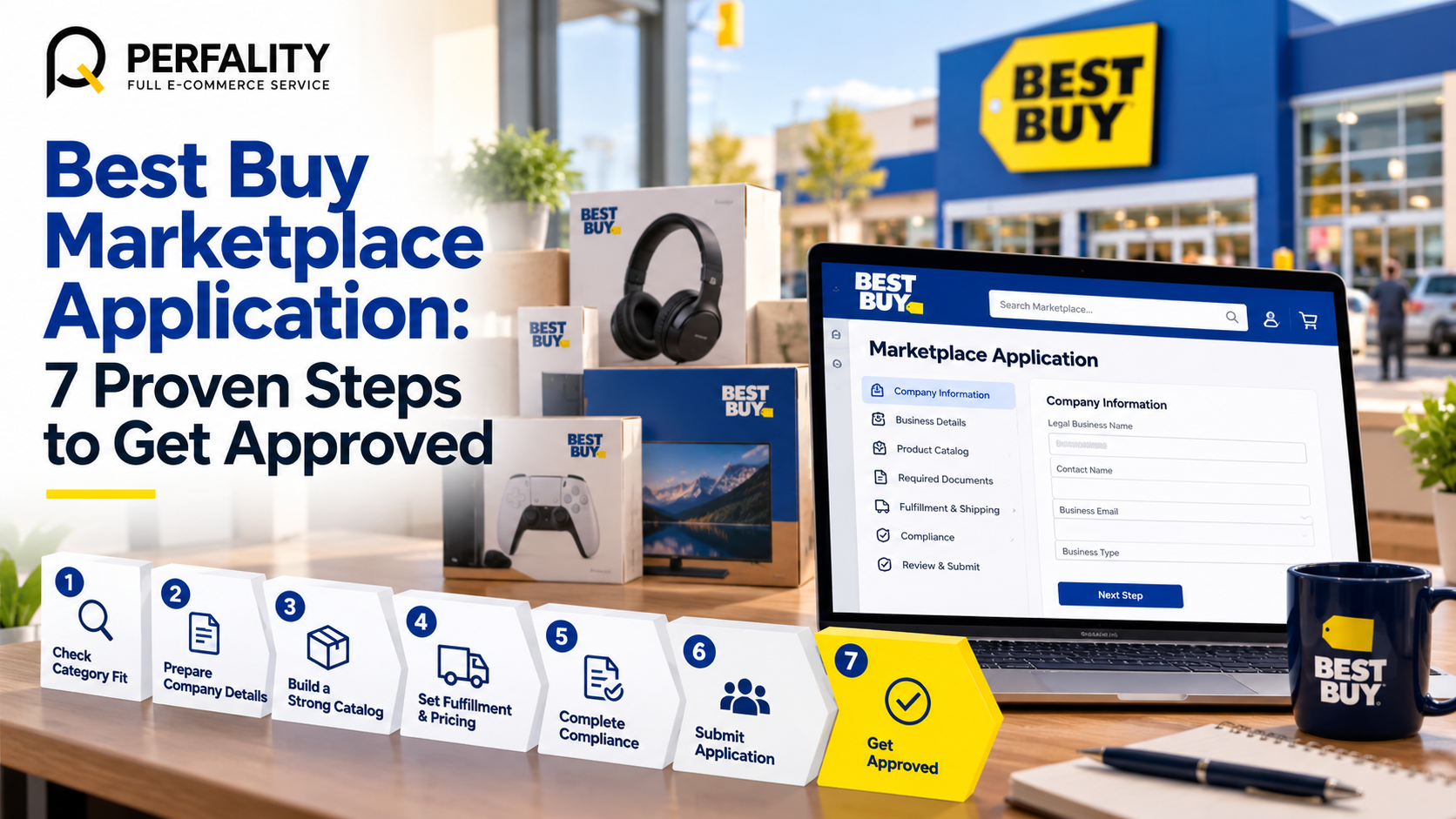
The 7 Steps of the Best Buy Marketplace Application
Work through these in order. Each one removes a reason for the review team to pause your file.
- Check category and price fit. Best Buy has expanded into kitchen, home and office, outdoor, automotive tech, gaming, musical instruments, toys, floor care and licensed sports merchandise, in addition to electronics. Velocity Sellers suggests an average order value above roughly $40 to $50 and says low-cost commodity goods rarely fit. Treat that as a rule of thumb, not an official cutoff.
- Collect your business paperwork. Applicants need business documentation, tax and banking details, and product certifications where relevant. Have them in one folder before you open the form. Incomplete applications are described as the most common reason for the longer, roughly four-week decisions.
- Choose your lead SKUs for the Best Buy Marketplace application. Start with the products that fit best and expand after approval. A focused first catalog is easier to review than 800 mixed items. If you are unsure which products are ready, our guide to the signs your catalog needs optimization is a quick way to spot weak listings before you sell on Best Buy.
- Prepare catalog data for the Best Buy Marketplace application. Reviewers judge whether your listings can sit next to first-party products. Check titles, images, specifications and variations against Best Buy’s product data standards before you submit.
- Submit your Best Buy Marketplace application through Mirakl Connect. If you want to sell on Best Buy, complete the seller profile and compliance checks, upload the catalog and set pricing and fulfillment details. Brands already selling on other Mirakl marketplaces can reuse the account and catalog setup. eDesk names Macy’s, Nordstrom, Lowe’s and Ulta Beauty as examples.
- Settle fulfillment before you press submit. You fulfill your own orders if you sell on Best Buy, from your warehouse, a 3PL or Amazon Multi-Channel Fulfillment, which requires unbranded packaging. Best Buy’s Seller Hub states that orders must ship from U.S.-based warehouses, and shipping and handling SLAs are enforced.
- Respond fast and plan the first 30 days after the Best Buy Marketplace application. Decisions typically take one to four weeks for brands that want to sell on Best Buy. Mirakl reports an average of 23 days from onboarding to first sale across its marketplaces. Answer any follow-up the same day, because delays push you to the back of the queue.
A Worked Example: Choosing Lead SKUs for Your Best Buy Marketplace Application
Here is an illustrative example. Northfield Kitchenware is a fictional brand with 120 SKUs on Amazon, priced from $12 to $300. The team wants to sell on Best Buy but does not want to submit everything. They sort the catalog by four filters: a verified GTIN, a complete image set, a price point that suits a considered purchase, and enough stock depth to avoid cancellations.
SKU group | SKUs | Decision | Reason |
Countertop appliances ($90 to $300) | 14 | Lead | High order value, full specs, strong images |
Cookware sets ($60 to $180) | 11 | Lead | Good fit for home and kitchen, stock depth confirmed |
Single utensils and gadgets under $15 | 58 | Hold | Commodity pricing, weak fit for a curated shelf |
Seasonal items without clean GTINs | 9 | Hold | Fix barcodes and content first |
Accessories and replacement parts | 28 | Add later | Better introduced after the lead products are live |
The result is a 25-SKU lead catalog built from the first two rows. It is small, strong and easy to review. After approval, the team adds the accessories row and revisits the held items one group at a time.
Rule of thumb: submit the catalog you would be proud to see beside Best Buy’s own products, not the catalog you happen to have.
Why a Best Buy Marketplace Application Stalls
The patterns below come from how the third-party guides describe vetting. They are the places where a file most often needs extra work.
Where it stalls | What the reviewer sees | What to do |
Thin company details | Missing registration, tax or banking information | Prepare one complete set of documents before submitting |
Catalog below retail quality | Short titles, one image, missing specifications | Rebuild lead SKUs to the product data standards first |
Commodity product mix | Low-price items with nothing that sets them apart | Lead with considered-purchase products |
Unclear fulfillment plan | No named warehouse, or a ship-from point outside the U.S. | Confirm U.S.-based fulfillment and realistic handling times |
Barcodes that do not match | GTINs that disagree with brand or packaging records | Verify every GTIN against the manufacturer record |
How the Best Buy Marketplace Application Differs From an Amazon Seller Account
Many applicants assume a Best Buy Marketplace application works like opening a seller account elsewhere. It does not. The biggest differences are in who decides, how the catalog is judged and how orders are fulfilled.
Area | Typical open marketplace | Best Buy Marketplace application |
Entry | Open registration with identity and tax checks | Curated vetting against Best Buy brand standards |
Catalog | Match existing listings or create new ones freely | Lead SKUs reviewed against first-party quality |
Fulfillment | Marketplace-run fulfillment is available | Your warehouse, a 3PL or Multi-Channel Fulfillment from U.S. locations |
Fees | Referral fees plus fulfillment fees | Category commission plus a Mirakl Connect tier, with your own shipping cost |
Customer service | Often handled by the marketplace | Handled by you, with messages and incidents tracked in Mirakl |
The practical takeaway is simple. To sell on Best Buy you need operations that can be audited, not just a login. A Best Buy Marketplace application needs a brand story, a clean lead catalog and an operations plan, not just a seller login.
What to Write in Your Best Buy Marketplace Application
If the form gives you free-text space, keep it factual and short. Reviewers want to know who you are, what you sell and how you will serve a Best Buy customer. A strong Best Buy Marketplace application answers four questions in plain language.
- Who you are: legal name, years in business, owned brands and any well-known retail partners.
- What you sell: the lead categories and the reason they suit a considered-purchase shopper.
- How you ship: your warehouse or 3PL location, handling time and carriers.
- How you support customers: who answers messages and how quickly.
Avoid superlatives you cannot prove. A short, accurate description of a 25-SKU lead catalog will read better than a long claim about being the best in your category.
Before You Sell on Best Buy: Do the Margin Math
Many sellers apply first and calculate later, which is risky if you plan to sell on Best Buy at scale. Do it the other way round. Category commissions are set per category and shown in the Marketplace Portal after you apply, and the portal rates are the binding ones. Mirakl Connect paid tiers are reported at roughly $479 to $1,599 per month depending on volume, though that figure comes from third-party sources and may not match your account.
There is also no FBA-style fulfillment fee. Your own pick, pack and ship cost replaces it. Returns matter too. Best Buy’s Seller Hub explains that customers can return marketplace items within 15 days, and return shipping costs are deducted from your account. Build a simple per-order view before you commit.
- Selling price on Best Buy
- Minus category commission from the portal
- Minus your pick, pack and shipping cost
- Minus a return allowance based on your category
- Minus advertising cost if you plan to run sponsored ads
- Equals contribution per order, which has to stay positive at your lowest realistic price
Your First 30 Days After Approval
Approval is the start of the work, not the end, and the habits you build now decide how well you sell on Best Buy later. Best Buy publishes seller quality standards, and any risk to your account is flagged on the Mirakl dashboard. A calm first month looks like this.
| Window | Focus | Why it matters |
|---|---|---|
| Week 1 | Upload offers for the lead SKUs, confirm stock and pricing, set store hours | Wrong stock is the fastest route to cancellations, so set up a daily SKU health check from day one |
| Week 2 | Test the order flow: accept, pack, add tracking, confirm shipment | Tracking and acceptance feed your seller quality metrics |
| Week 3 | Review customer messages and any incidents daily | Slow responses damage the rating |
| Week 4 | Read your first metric report and decide which held SKUs to add | Expansion should follow performance, not hope |
- Business documents, tax details and bank details collected before the Best Buy Marketplace application opens
- Lead SKU list chosen, with GTINs verified
- Titles, images and specifications checked against the product data standards
- U.S.-based fulfillment route confirmed and handling time agreed
- Margin per order calculated with commission, shipping, returns and ads
- One person named to answer Best Buy Marketplace application follow-ups the same day
- Store hours and holiday settings ready to enter in Mirakl once the Best Buy Marketplace application is approved
How Perfality Helps With Your Best Buy Marketplace Application
Most brands we speak to already run strong Amazon operations. The gap is usually preparation rather than product, and a Best Buy Marketplace application rewards preparation. Here is where we typically help before and after you apply:
- Lead catalog selection: sorting your SKUs for the Best Buy Marketplace application by margin, content readiness and category fit, so the first submission is focused and easy to review.
- Application readiness: cleaning GTINs, titles, images and specifications to the Best Buy product data standards, using the same discipline as our catalog data standardization work.
- Marketplace setup: store settings, shipping profiles, return addresses and offer uploads inside Mirakl.
- Margin modeling: commission, shipping, returns and advertising, so you know the price floor before you list.
- Ongoing management: daily order, message and incident monitoring through our marketplace management services, so you can keep selling on Best Buy with fewer surprises.
If you would rather have the process mapped before you apply, an outside review of your lead catalog is a quick and low-risk place to start.
Related Services
If you are planning to sell on Best Buy and want a second pair of eyes on your application, our team can help. For the full picture of what we do for sellers and suppliers working with Best Buy, see our Best Buy retailer management service. Depending on where this issue keeps recurring, this is the kind of support that typically helps:
- Full-service Amazon management: Full Service Amazon Management, Full Service Amazon Agency, Amazon Full Service Agency, Full Service Amazon Marketing Agency, Best Full-Service Amazon Agency, Best Full Service Amazon Agency
- FBA-focused support: Amazon FBA Management Agency, Amazon FBA Agency, Amazon FBA Marketing Agency, Amazon FBA Management Service
- Listing and content optimization: Amazon Listing Optimization Services, Amazon Listing Optimization Agency, Amazon Listing Optimization Service, Amazon Product Listing Optimization Service, Amazon Product Listing Optimisation Service, Amazon Product Listing Optimisation Service USA
- Product listing services: Amazon Product Listing Service, Amazon Product Listing Service Provider, Best Amazon Product Listing Service Agency
- PPC and advertising management: Amazon PPC Management Service, Amazon PPC Management Service Agency, Best Amazon PPC Management Service, PPC Management Service For Amazon
- Account management: Best Amazon Account Management Services, Amazon Ecommerce Company
If this is a recurring pain point rather than a one-off, it’s usually worth a quick conversation. Book a free 30-minute call with our team and we’ll walk through what’s actually happening on your account.
Frequently Asked Questions
Third-party guides report Best Buy Marketplace application decisions in roughly one to four weeks, with incomplete applications taking the longest. Mirakl reports an average of 23 days from onboarding to first sale across its marketplaces. These figures are not Best Buy commitments, so use them for planning only.
No. The marketplace is curated, so the Best Buy Marketplace application is a real gate. Best Buy vets sellers and products against its brand standards. Strong catalog quality and a clear category fit improve your chances.
Velocity Sellers reports that Amazon Multi-Channel Fulfillment can be used, with unbranded packaging and a per-unit premium. Best Buy’s Seller Hub also requires that orders ship from U.S.-based warehouses.
Have any questions? Let’s connect!

