




- Perfality
- October 24, 2026
- 12:24 pm
- Read Time: 10 mintues
A seller uploads a beautiful lifestyle shot as the first image, adds a small “New” badge in the corner, and wonders why the page never goes live. The picture is good. It just breaks the rules for the first slot. Best Buy product images follow a clear set of requirements, and a handful of mistakes cause most rejections. Learning the Best Buy image requirements once saves weeks of rework.
This guide works backwards from the failures. We list eight common mistakes with Best Buy product images, show the rule behind each one and give a fix. The rules come from the image section of Best Buy’s product data standards, so check your category page as well, since some categories ask for a specific primary angle.
Best Buy Image Requirements at a Glance
Before the mistakes, here is the baseline. These Best Buy image requirements apply to every image you submit, whatever the category.
Specification | Requirement |
File formats | TIFF, JPG or PNG |
Maximum file size | 50 MB |
Minimum size | Longest side at least 500 pixels, measured after background removal |
Color space | RGB |
Product edge | An accurate clipping path around the product |
Image address | A public URL, not a file-sharing site, with no special characters |
Duplicates | Exact duplicates of previously submitted images are rejected |
Embedded text | Contrast above 4.5:1 and legible at 400% zoom |
Treat that table as your export preset. If every file leaves your design tool already meeting it, most problems with Best Buy product images never reach the portal.
8 Mistakes That Get Best Buy Product Images Rejected
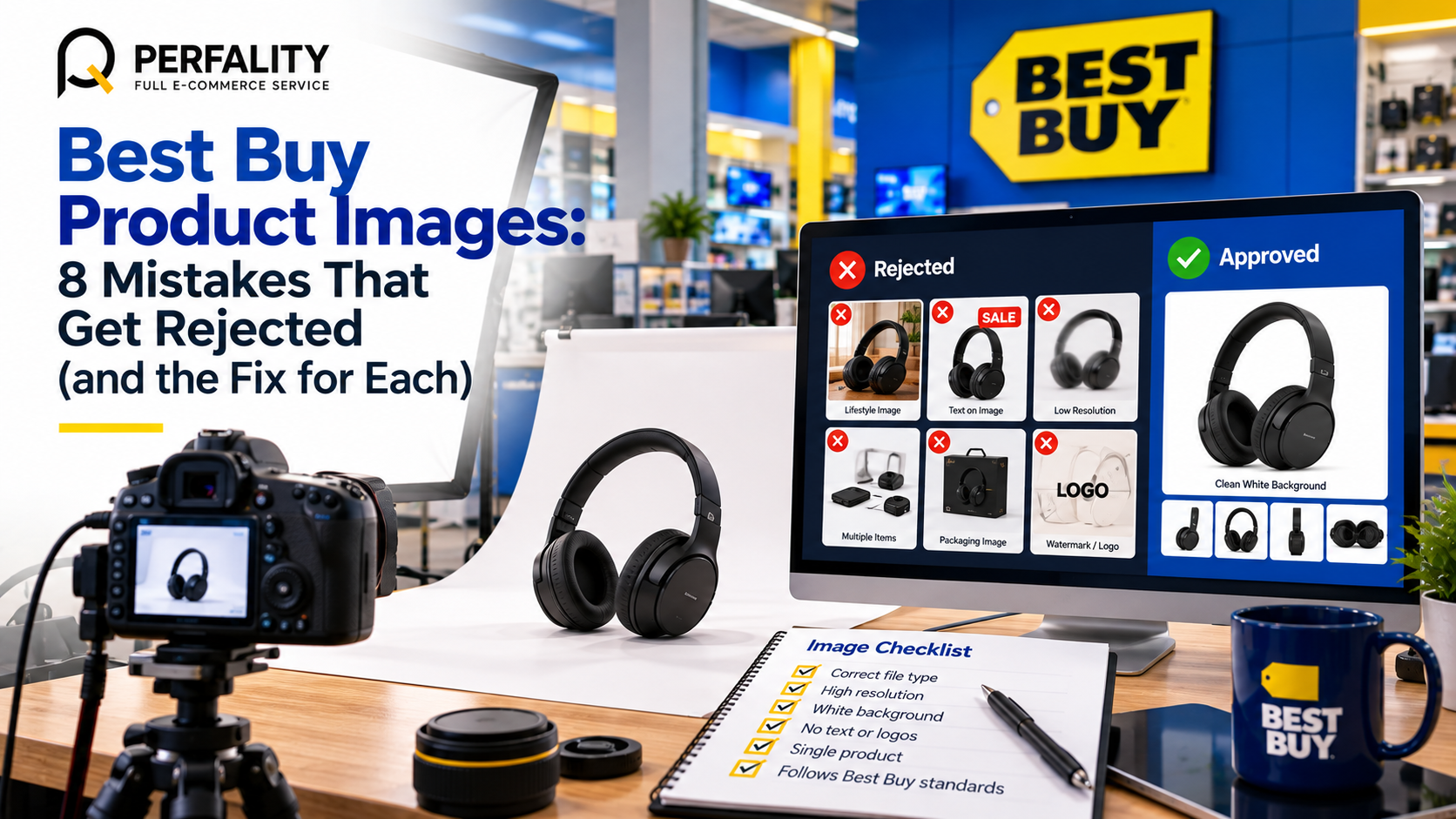
Mistake 1: A lifestyle shot as the first image
The first image in the carousel is the primary image, and it has the strictest rules. Lifestyle images, product in use, packaging and items that are not included are all excluded. The shopper should see the product alone. Move the kitchen scene to slot two or later, where lifestyle images are welcome.
Mistake 2: Badges, logos and text on the primary image
Badges, icons, logos and promotional text do not belong on the primary slot. The standards add that primary images containing text are rejected by some marketplaces. There are exceptions for text printed on the product itself and for screens or lights in use. If it was added in editing, remove it.
Mistake 3: Files that are too small
The longest side must be at least 500 pixels after the background is removed. Sellers often check the canvas rather than the product. A product that fills only half of a 600-pixel canvas can fail. Export larger, and crop close to the product.
Mistake 4: Wrong file settings
Only TIFF, JPG and PNG are accepted, up to 50 MB, in RGB. A file exported in CMYK for print can look fine on screen and still fail. Set the export preset once and never change it by hand.
Mistake 5: Image links that cannot be read
Best Buy product images need a public URL. Links from file-sharing sites are not allowed, and characters such as question marks, apostrophes, double hyphens and degree signs cause trouble. Name files in plain lowercase with single hyphens, and host them on a clean public path.
Mistake 6: Reusing the same image
Exact duplicates of images you have already submitted are rejected. This catches sellers who upload one hero photo across color variants. Cosmetically identical products can use the shared image only as a secondary image. Shoot or render each variant properly for the primary slot.
Mistake 7: White products that disappear
White products have a minimum edge density of RGB 234, 234, 234, so the outline stays visible against a white page. Lighting should give the product shape, though highlights may be pure white. A flat, over-exposed photo of a white kettle is a classic failure.
Mistake 8: Missing disclaimers on secondary images
If an image shows something that is sold separately, a digital product or an item used for size reference, marketplace sellers must add a disclaimer. It belongs on non-primary images only, using approved text such as “Accessory sold separately.” Set it in Arial 12 point, centered at the bottom, in sentence case.
A Shot List That Meets the Best Buy Image Requirements
A shot list turns the rules for Best Buy product images into a routine. The table below shows what each slot can hold. The primary slot is narrow, and the rest are flexible.
Slot | What to show | Notes |
1 (primary) | The product alone, on a clean background, at the category angle | No lifestyle, badge, logo, packaging or text |
2 | A second angle or the back of the product | White or neutral background |
3 | A close-up of the key feature | Allowed as a non-primary image |
4 | The product in use | Lifestyle and in-use shots are welcome here |
5 | Packaging or the box contents | Add a disclaimer for items sold separately |
6 | A diagram or transformation | Check text contrast and legibility at 400% zoom |
Non-primary images should use a white or neutral background, which covers whites, blacks, grays, tans, beiges, ivories and creams. Product documentation is not allowed as an image. Manuals and guides go in the documents section as PDF files.
An Illustrative Example: Fixing a Blender Listing
Here is a fictional example. A brand uploads a blender with a smoothie scene as image one, a “New” badge in the corner, and the same file reused for the black and white versions. The images are 1,200 pixels wide but the product is small inside the frame. Walking through the rules shows five fixes for these Best Buy product images.
Problem | Rule it breaks | Fix |
Smoothie scene as image one | No lifestyle on the primary slot | Use a clean product-only shot, move the scene to slot four |
“New” badge | No badges or text on the primary slot | Remove it in editing |
Product fills half the frame | 500 pixels on the longest side after background removal | Crop close and export larger |
White version on white | Minimum edge density of RGB 234 | Add shadow and light the shape |
Same file for both colors | Exact duplicates are rejected | Create a separate primary image per color |
Notice that none of the fixes to these Best Buy product images needs a new product or a new camera. They need a checklist applied before upload. That is the cheapest improvement available for Best Buy product images.
Best Buy Product Images for Variants, Bundles and Kits
Variants and bundles are where the rules interact. The same product in three colors needs three separate primary images, because exact duplicates are rejected. A bundle needs even more care, because the primary slot may not show items that are not included in what the customer receives.
- Color variants: shoot or render each color for its own primary slot, and use shared images only in secondary slots.
- Bundles: the primary image shows exactly what ships, with accessories sold separately kept for later slots and clearly labeled.
- Kits and multipacks: show the quantity in the box, and put the count in the product name rather than a badge.
- Upgraded or customized products: use a unique GTIN, since the manufacturer’s GTIN cannot be used for modified configurations.
A short written rule per product family makes this repeatable. When the photographer, the editor and the catalog manager all follow the same one-page brief, Best Buy product images stay consistent across hundreds of SKUs.
A Batch Quality Control Routine for Best Buy Product Images
Even good teams slip when they upload in volume. A fast quality control step catches errors before they reach the portal. Sample at least one in ten products from every batch, and check the primary slot of each sample against five questions.
Check | Pass condition | If it fails |
Content | Product alone, no badge, logo, packaging or text | Re-edit the primary image |
Size | Longest side at least 500 pixels after background removal | Re-export from the source file |
Format | TIFF, JPG or PNG in RGB under 50 MB | Re-save with the export preset |
Address | Public URL with no special characters | Rename and re-host |
Uniqueness | No exact duplicate within the catalog | Create a separate image per variant |
If more than one sample in ten fails, check the whole batch. Record the failure type in a simple log. After a few weeks, the log shows which step in your process creates most of the errors, and you can fix the process rather than the files. That is how Best Buy product images become a stable part of operations instead of a recurring cleanup.
Keep the Best Buy image requirements in your brief for outside agencies and freelancers too. Many failures come from files that were perfectly acceptable for another marketplace. A one-page summary of the primary-slot rules, shared at the start of every shoot, prevents most of them.
A Workflow That Keeps Best Buy Product Images Compliant
Rules only help if they are applied every time. A simple workflow keeps Best Buy product images consistent as the catalog grows.
- Set export presets. For Best Buy product images, build one preset for each slot type, with format, color space and size already correct.
- Name files cleanly. Use plain lowercase names with single hyphens so URLs have no special characters.
- Host on stable public paths. A managed media library, like the one in our guide to Cloudinary image management, keeps URLs consistent and fast.
- Review before upload. Have a second person check the primary slot of every new product against the Best Buy image requirements.
- Audit the live catalog. Our images audit project shows how a regular SKU-by-SKU review finds missing and weak images.
If you produce a lot of imagery, our article on content production efficiency explains how to scale shooting and editing without losing quality. Reviewers compare your page with first-party products, as Velocity Sellers notes, so consistency counts as much as any single rule.
- Primary image shows the product alone, with no lifestyle, packaging, badge, logo or text
- Longest side at least 500 pixels after background removal
- File is TIFF, JPG or PNG, RGB, and under 50 MB
- Clipping path is accurate and the edge is clean
- Image URL is public, from a normal host, with no special characters
- No exact duplicates across variants
- White products pass the edge density rule
- Disclaimers added to secondary images that show separately sold items
How Perfality Handles Best Buy Product Images
Image problems repeat across channels, so we build a reusable system instead of fixing files one by one. For Best Buy sellers this usually includes:
- Image audits of Best Buy product images that check every SKU against the Best Buy image requirements and mark exactly which slot fails.
- Retouching and export presets for Best Buy product images, including clipping paths, edge density and file settings.
- Shot list planning so each slot has a purpose, from primary angle to lifestyle and diagrams.
- Clean file naming and hosting, so image URLs are public and free of special characters.
- Creative support through our content and design solution for infographic and feature images that stay legible.
The result is a set of Best Buy product images that clears review the first time and looks consistent beside Best Buy’s own products.
Related Services
If your Best Buy product images keep failing review, or you simply need a faster way to prepare them, we can help. For the full picture of what we do for sellers and suppliers working with Best Buy, see our Best Buy retailer management service. Depending on where this issue keeps recurring, this is the kind of support that typically helps:
- Full-service Amazon management: Full Service Amazon Management, Full Service Amazon Agency, Amazon Full Service Agency, Full Service Amazon Marketing Agency, Best Full-Service Amazon Agency, Best Full Service Amazon Agency
- FBA-focused support: Amazon FBA Management Agency, Amazon FBA Agency, Amazon FBA Marketing Agency, Amazon FBA Management Service
- Listing and content optimization: Amazon Listing Optimization Services, Amazon Listing Optimization Agency, Amazon Listing Optimization Service, Amazon Product Listing Optimization Service, Amazon Product Listing Optimisation Service, Amazon Product Listing Optimisation Service USA
- Product listing services: Amazon Product Listing Service, Amazon Product Listing Service Provider, Best Amazon Product Listing Service Agency
- PPC and advertising management: Amazon PPC Management Service, Amazon PPC Management Service Agency, Best Amazon PPC Management Service, PPC Management Service For Amazon
- Account management: Best Amazon Account Management Services, Amazon Ecommerce Company
If this is a recurring pain point rather than a one-off, it’s usually worth a quick conversation. Book a free 30-minute call with our team and we’ll walk through what’s actually happening on your account.
Frequently Asked Questions
For Best Buy product images, the longest side must be at least 500 pixels, measured after the background is removed. Files can be TIFF, JPG or PNG, up to 50 MB, in RGB color space.
The Best Buy image requirements exclude lifestyle images, badges or icons, packaging, items not included, product in use, logos and text from the primary slot, with limited exceptions such as text printed on the product itself.
Yes, on non-primary images only. Use approved text such as “Accessory sold separately,” set in Arial 12 point, centered at the bottom, in sentence case. Marketplace sellers must add one for separately sold items, digital products and size-reference items.
Have any questions? Let’s connect!

