




- Perfality
- October 15, 2026
- 7:54 am
- Read Time: 10 mintues
Product photography is one of the few places where spending more does not guarantee a better result at Home Depot. A beautiful lifestyle photograph can be the reason an item fails review, while a plain, well-lit white-background shot of a fastener sails through. Home Depot image requirements reward discipline over creativity.
This article separates what Home Depot actually requires from what suppliers tend to assume, and then builds a shot list around how Home Depot shoppers really buy. The specs below come from Home Depot’s IDM onboarding guide, so confirm category-specific rules in your Data Standard before you shoot.
Home Depot Image Requirements in Plain English
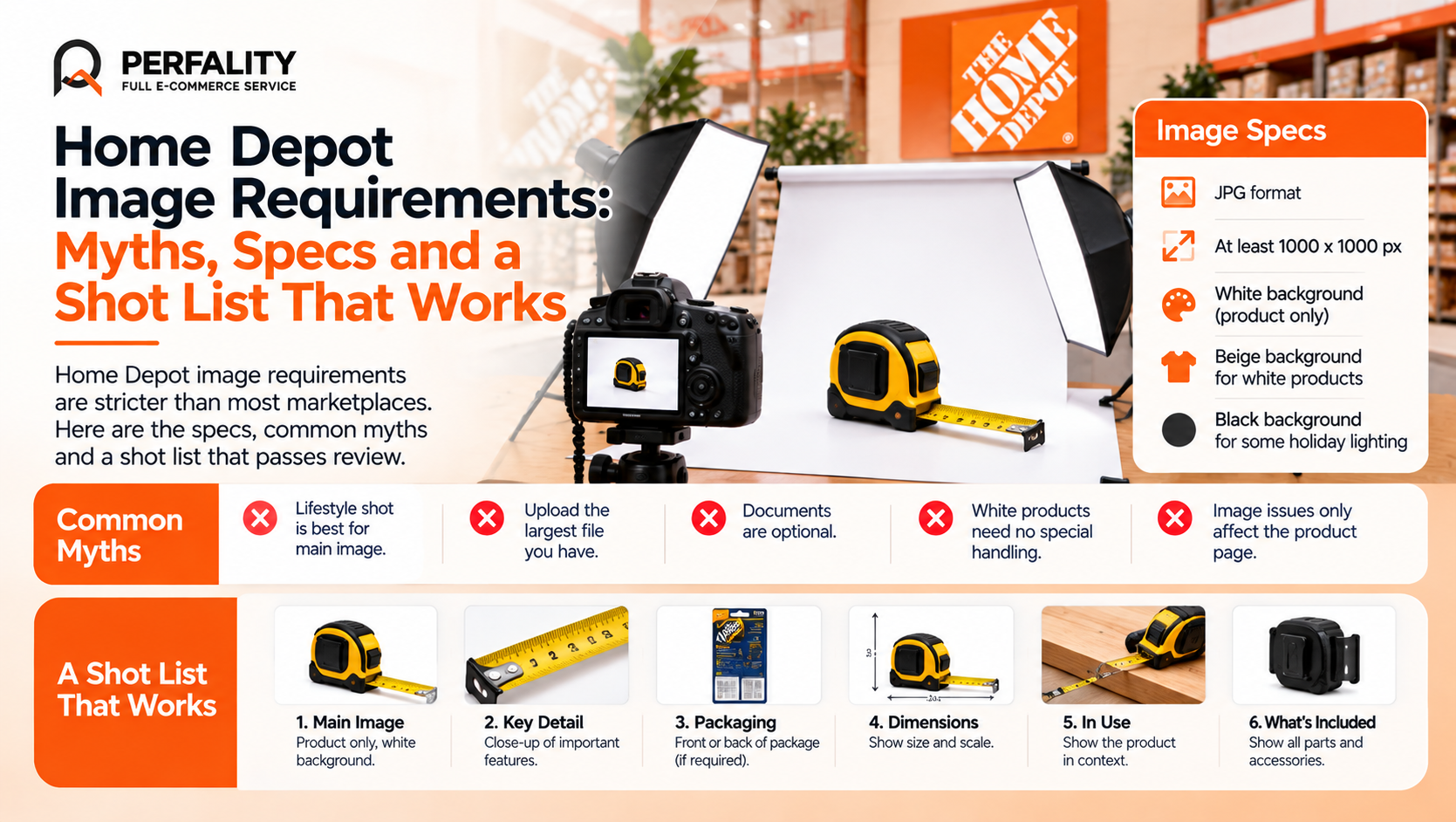
For items entered through IDM, Home Depot’s guide asks for JPG images of at least 1000 x 1000 pixels on a white background. White products may use a beige background so they remain visible, and some holiday lighting products call for a black background. Main images show only the product.
Images are only part of the digital asset requirement. The Data Standard for your category also lists documents Home Depot expects alongside the photos.
Asset | What is expected | Common miss |
Main image | JPG, at least 1000 x 1000 px, product only, white background. | Props, hands, packaging or a styled scene in the main slot. |
White products | Beige background is acceptable for contrast. | White product on white, so edges disappear. |
Additional images | As listed in the category Data Standard. | Fewer images than the category requires. |
PDFs | Manual, warranty, assembly and parts documents where required. | Treating documents as optional extras. |
Five Myths That Cause Image Rejections
The myth | The reality |
A good lifestyle shot makes the best main image. | Main images show only the product. Lifestyle belongs in the additional slots. |
Bigger is always better, so upload the largest file you have. | 1000 x 1000 is the minimum. Clean, correctly cropped files matter more than raw size. |
Documents are optional. | The category Data Standard decides which PDFs are required, and missing assets can block an item. |
White products need no special handling. | Beige is accepted for white items so they stay visible. |
Image problems only affect the product page. | One compliance guide reports an offset of $1,000 for specs and digital asset failures, so images can carry a direct cost. |
Building a Shot List Around How Home Depot Shoppers Buy
Home Depot shoppers are often matching a part to a problem. They want to know what it looks like, how big it is, and whether it fits what they already own. A good shot list answers those questions in order.
- Hero. The product alone on white, centered, fully visible.
- Scale and dimensions. A clear indicator of size, whether a ruler, a hand or a dimension graphic where the category allows it.
- Connection or detail. Close-ups of threads, plugs, fittings or labels, which decide whether the part fits.
- Package contents. Everything included in the box, laid out so nothing is a surprise.
- In use. One lifestyle or installed image, in an additional slot.
Example: The Fitting That Kept Coming Back
Picture a brass plumbing fitting with a handsome hero image and one photo from a distance. Buyers keep returning it because they ordered the wrong thread size, and the images never showed the threads or the measurement. The fix costs almost nothing: a close-up of the thread end, a clear size callout, and a contents shot. Returns drop because the page now answers the question the shopper actually had.
Shot Lists by Category
- Power tools: the tool, the battery platform, the kit contents, a close-up of the chuck or blade fitting.
- Flooring and tile: the surface close up, a plank or tile in true color, a scale reference, an installed view.
- Lighting: the fixture lit and unlit, the base or mounting plate, the bulb type, dimensions.
- Fasteners and hardware: pack count visible, head type, length against a ruler.
A Workflow That Keeps Images From Breaking Again
- Name files consistently. Use one convention that includes the SKU and the image slot.
- Check before upload. Verify size, format, background and crop in a quick QC pass.
- Keep masters safe. Store original, uncompressed files so you can export to any spec later.
- Re-audit quarterly. Packaging changes quietly make images out of date.
Reading a Rejection: Image Problems by Symptom
When an item comes back, the fix usually points to one of a short list of causes. Use the table below to move from what you see to what to change.
What you see | Likely cause | Fix |
Item stuck with an image error | The file is below 1000 x 1000 pixels or not a JPG. | Re-export from the master at the right size and format. |
Main image flagged | A prop, a hand, packaging or a styled background appears in the frame. | Reshoot or cut out the product on white and keep lifestyle for other slots. |
White product barely visible | White product on a white background. | Use a beige background, which Home Depot accepts for white items. |
Item approved but returns are high | The images do not show scale, fit or contents. | Add dimension, detail and contents images in the additional slots. |
Document missing | A required manual or warranty PDF was not uploaded. | Check the category Data Standard for the required list. |
Seasonal and Special Cases: Where the Rules Bend
A few categories carry their own image rules. Home Depot’s guide notes that some holiday lighting products call for a black background, because lit products disappear against white. Treat that as a reminder that the category Data Standard always has the final say.
It is also worth building a short exceptions list for your own catalog. If a product line has needed a special background, a unique angle or an extra document in the past, record it so the next batch does not repeat the mistake.
Example: A Photo Library Audit in Practice
A supplier with 800 SKUs audits its library and finds that 140 main images carry a small watermark, 60 are below the size minimum and 35 products have no contents image. Fixing the first two groups removes the rejection risk, and adding the third reduces avoidable questions and returns. The audit takes a few days and replaces months of one-at-a-time corrections. This is the same idea behind our Images Audit Project.
A structured workflow matters more as catalogs grow. Our look at image production workflows and retouching and our walk-through of managing images at scale with Cloudinary both cover how teams keep large image libraries consistent.
Where Perfality Fits Into Your Image Process
Image compliance is mostly a process problem, and we treat it that way:
- Image audit: every SKU checked against the category requirements, similar to the approach in our Images Audit Project.
- Shot list design: a repeatable list of images per product type that matches how Home Depot shoppers buy.
- Content and design support: retouching, infographics and creative through our content and design solution.
- Document management: manuals, warranty and assembly PDFs tracked against each SKU.
- Ongoing QC: a recurring check so changes to packaging never leave old images live.
Related Services
If image rejections keep slowing launches, a one-time audit and a repeatable shot list usually solve the problem for good. For the full picture of what we do for suppliers selling to The Home Depot, see our Home Depot account management service. Depending on where this issue keeps recurring, this is the kind of support that typically helps:
- Full-service Amazon management: Full Service Amazon Management, Full Service Amazon Agency, Amazon Full Service Agency, Full Service Amazon Marketing Agency, Best Full-Service Amazon Agency, Best Full Service Amazon Agency
- FBA-focused support: Amazon FBA Management Agency, Amazon FBA Agency, Amazon FBA Marketing Agency, Amazon FBA Management Service
- Listing and content optimization: Amazon Listing Optimization Services, Amazon Listing Optimization Agency, Amazon Listing Optimization Service, Amazon Product Listing Optimization Service, Amazon Product Listing Optimisation Service, Amazon Product Listing Optimisation Service USA
- Product listing services: Amazon Product Listing Service, Amazon Product Listing Service Provider, Best Amazon Product Listing Service Agency
- PPC and advertising management: Amazon PPC Management Service, Amazon PPC Management Service Agency, Best Amazon PPC Management Service, PPC Management Service For Amazon
- Account management: Best Amazon Account Management Services, Amazon Ecommerce Company
If this is a recurring pain point rather than a one-off, it’s usually worth a quick conversation. Book a free 30-minute call with our team and we’ll walk through what’s actually happening on your account.
Frequently Asked Questions
Home Depot’s IDM guide asks for JPG images of at least 1000 x 1000 pixels.
No. Main images show only the product. Use lifestyle images in the additional image slots.
A beige background is acceptable for white products so they stay visible. Check your category Data Standard for other exceptions.
They are part of the digital asset requirements. The category Data Standard lists which documents, such as manuals, warranties and assembly guides, are required.
Have any questions? Let’s connect!

