




- Perfality
- June 24, 2026
- 4:33 pm
- Read Time: 8 mintues
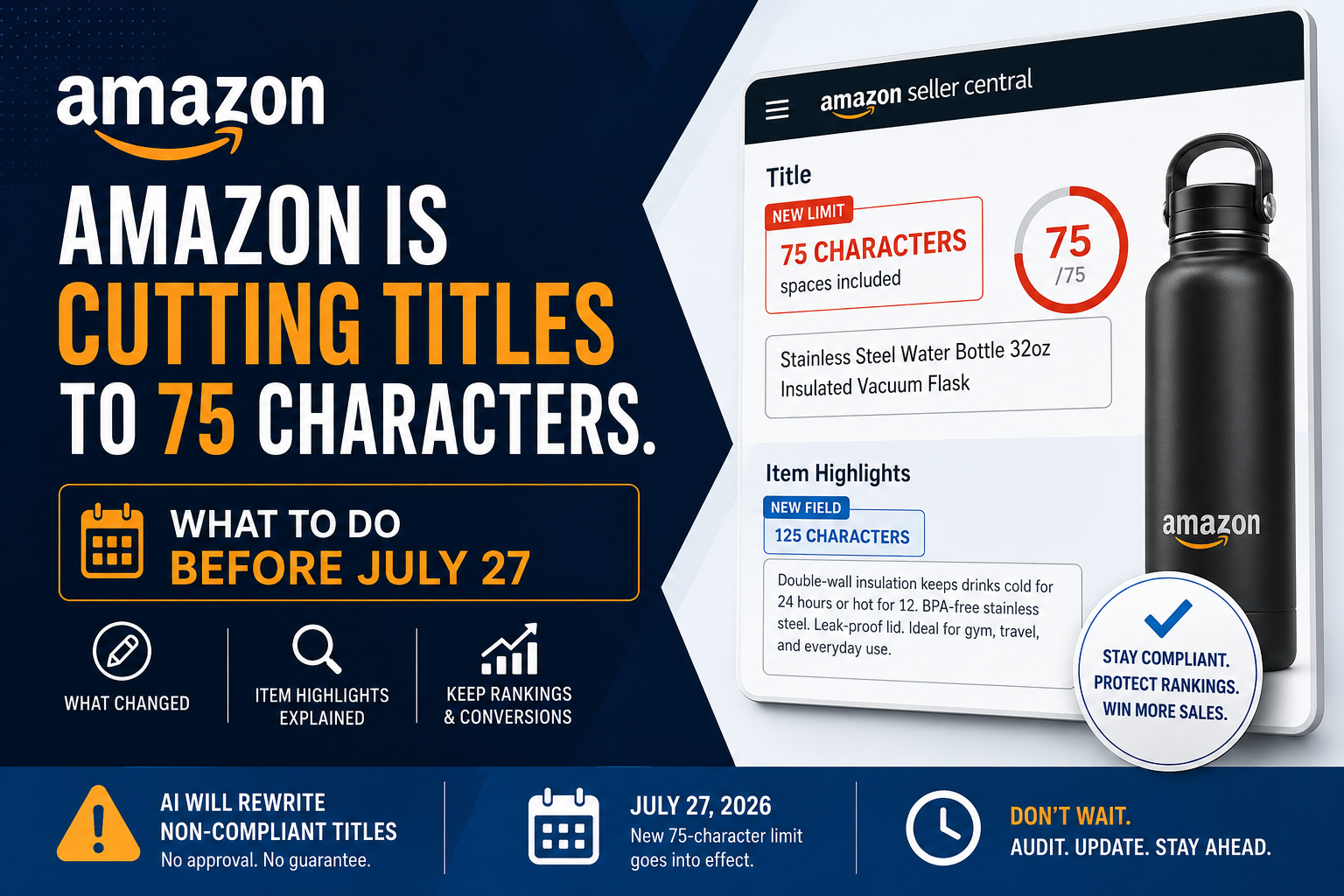
From July 27, 2026, Amazon titles in almost every category are capped at 75 characters including spaces — down from 200. For sellers with large catalogs, that is a significant amount of work before the deadline. Whether you manage your own account or work with a full service Amazon agency, the clock is ticking.
If you do not act, Amazon will use its own AI to rewrite non-compliant titles — pulling from whatever content exists on the listing, with no input from you and often no notification.
Amazon published this update on Seller Central News on June 10, 2026, giving sellers a roughly five-week window after Prime Day to sort their listings before enforcement kicks in.
This post covers what changed, how the new Item Highlights field fits in, and how to keep your rankings intact across Amazon search, Google, and AI-driven discovery tools.
What Actually Changed
Amazon has tightened title standards for years — first through style guide updates, then selective suppression. The July 2026 change is the first hard cap applied across the board, with automated enforcement behind it. For any Amazon ecommerce company or FBA seller, this is not a change you can absorb passively.
| Rule | Since Jan 2025 | From July 27, 2026 |
|---|---|---|
| Title length | 200 characters | 75 characters (spaces included) |
| Which categories | Most categories | Everything except media |
| New content field | None | Item Highlights — 125 chars |
| Special characters | Restricted list | Same list, stricter checks |
| If you do nothing | 14-day notice, AI edits after | AI rewrites. No approval needed. |
What is different now is the mechanism: Amazon actively scans every listing and triggers a rewrite for anything that does not comply. Its AI works from your existing bullet points, backend terms, and description — but cannot tell which keyword is driving traffic. The result may be compliant and completely wrong for your product.
If you are a brand owner, you get a 14-day review window in Review Listing Changes to accept, edit, or reject the AI suggestion before it locks in. After that, recovering your original title requires a support case.
Note on Prime Day timing: Do not touch your titles between June 23 and 26 while Prime Day is running. Editing a title during your busiest week of the year can shake up your ranking and indexing at exactly the wrong time. Get your audit done before June 23. Make the actual edits after June 26. For a full Prime Day preparation checklist, see our guide: Is Your Amazon Store Prime Day Ready?
What Item Highlights Actually Is
Amazon introduced Item Highlights to absorb the content that no longer fits in the title. It is a separate field in Seller Central with 125 characters, designed for supporting detail: materials, who the product suits, where it sits versus alternatives.
Item Highlights content is indexed and visible to shoppers alongside your title in search results. Keywords you move there do not disappear from Amazon’s system — they just sit in a different slot.
Treat it like a strong secondary bullet: specific, useful to someone comparing options, not a keyword dump. Proper use of Item Highlights is now a core part of any serious Amazon listing optimization service or Amazon product listing optimization service — it is not optional anymore.
Early warning: Some sellers are already hitting errors when trying to add Item Highlights, including cases where Amazon’s own AI-generated content is getting flagged as a violation. This field is new and still has bugs. Give yourself more time than you think you need for this part.
Writing a 75-Character Title That Still Ranks
Seventy-five characters is tight but workable. Use this structure: Brand name, product type, primary keyword, one key spec — in that order. Lead with your most important keyword; Amazon weights what appears earlier in the title more heavily. Things that will get your listing flagged or auto-edited:
- Promotional words: Best, Top-Rated, Premium, Free Shipping, Guaranteed, and similar terms are banned outright.
- Repeated keywords: Amazon treats similar words across a title as duplicates. Their own example is ‘loaf pan, muffin pan, baking pan’ — that counts as repeating ‘pan’. Each distinct word can appear twice at most.
- Most symbols: Pipes and hyphens are still usable. Beyond those, most special characters will trigger a flag.
- All-caps words: Only allowed for abbreviations and brand names where capitalisation is standard.
Everything removed from the title has somewhere to go. Size, material, use case, comparison terms — all of it belongs in Item Highlights, where it is still indexed and visible.
What This Means for Google Search and AI Discovery
Your Amazon title is not contained to Amazon. It appears directly in Google search results like a page title tag, and it is being read by AI-powered discovery tools that work differently from a standard search engine.
Amazon’s Rufus assistant reached 250 million users in 2025, with shoppers who engage with it during a purchase journey significantly more likely to convert. Rufus does not rank keywords — it reads the full listing and synthesises an answer based on what your product does and who it is for.
A title that reads like a real product name — specific and clear — outperforms a keyword list in AI-assisted search. This holds for Rufus, Google AI Overviews, and ChatGPT Shopping.
The term circulating for this is Answer Engine Optimization, or AEO. At its core, it just means writing listing content clearly enough that an AI can understand it and recommend it accurately. For titles specifically: use natural language, lead with what the product is, and let Item Highlights carry the secondary terms that support long-tail Google rankings. For a deeper look at how SEO and listing structure work together, see our guide on SEO tips for e-commerce sellers. This is where the quality of your Amazon product listing service provider matters — not just in keyword selection, but in how the whole listing communicates to both algorithms and shoppers.
What to Do Before July 27
Here is a practical order of steps that works for most sellers:
- Export your full catalog from Manage All Inventory. Include title character counts. Sort by revenue so you start with the listings that matter most. If your catalog has broader health issues beyond titles, see our post on signs your e-commerce catalog needs optimization first.
- Flag every title sitting above 75 characters. These are your immediate priority.
- Rewrite flagged titles: Brand, product type, primary keyword, one key spec. Read it out loud — if it sounds like a product name, it is working.
- Shift the supporting detail into Item Highlights. Materials, size options, use cases, comparison language.
- Cut all promotional words, duplicate keywords, and any characters Amazon does not allow.
- After Prime Day ends on June 26, publish updated titles in batches. Hold some listings at current titles for a week to benchmark performance before committing the rest.
- Once July 27 passes, check Review Listing Changes daily. You have a 14-day window to catch and fix any AI-generated suggestions before they lock in.
Final Thought
Amazon has tightened content standards for years. What makes this update different is that non-compliance now has an automated consequence, not just a risk of suppression.
The sellers who come out of this in good shape will not be the ones who just shaved characters off their existing titles. They will be the ones who took the constraint seriously and built cleaner, more useful listings as a result. Shorter titles that actually describe a product tend to perform better on mobile and in AI-driven search anyway. If you want to see what the difference looks like in practice, our Before & After: Listing Optimization Results post shows real examples. Whether you handle this yourself or lean on an Amazon FBA marketing agency, a full service Amazon marketing agency, or a dedicated Amazon product listing optimisation service in the USA or elsewhere, the standard of work required has gone up.
The deadline is July 27. Prime Day ends June 26. You have roughly a month to make the changes yourself — use it.