



- Perfality
- September 17, 2026
- 5:12 pm
- Read Time: 10 mintues
A product feed gets submitted, the upload finishes, and then half the rows come back with an error report nobody wants to open. Walmart item setup errors are rarely as complicated as they look — they cluster around a small set of causes that repeat across almost every seller’s catalog.
Because Walmart operates a unified catalog where multiple sellers can list the same product, several of the most common errors are really duplicate-detection and identifier problems in disguise, not content mistakes.
Where Walmart Item Setup Errors Actually Come From
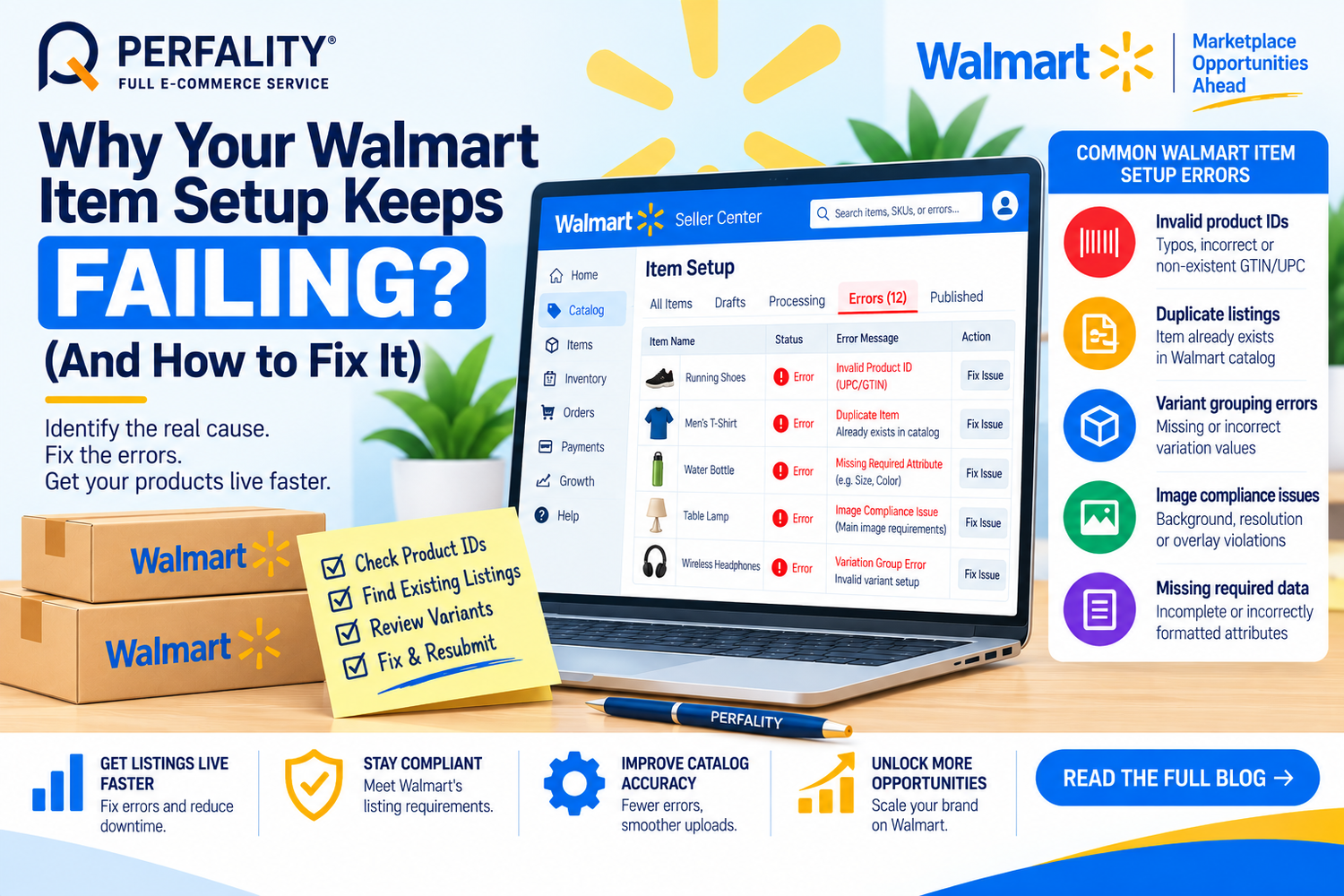
Invalid product ID errors are the most frequent cause: a typo in a GTIN or UPC, a copy-paste error, or a non-existent identifier entered to get past a required field. Walmart Marketplace does not allow items with missing or fabricated product IDs to go live.
Duplicate listings are the second major cause. If a Marketplace item is already offered by another seller under the same product identifier, Walmart combines them into a single listing rather than publishing a second one — and creating a duplicate is a policy violation, not just a cosmetic issue. Items left unpublished as duplicates for more than 90 days get retired from Walmart’s catalog entirely.
Variant grouping errors round out the list: using more than one variation theme in a group that only supports one, child SKUs missing a required variation value, or a parent SKU that’s incorrectly marked as buyable.
Why These Errors Keep Repeating
Most of these errors trace back to a spreadsheet template being edited incorrectly — deleting or altering data in the first six rows, which Walmart’s system uses as reference metadata, is a common and avoidable trigger. Because bulk templates process dozens or hundreds of rows at once, one structural mistake near the top of the file cascades into errors across the entire submission.
How to Fix Walmart Item Setup Errors
- Verify every product ID against the packaging or manufacturer’s listing before submission — never enter a fabricated identifier to bypass a required field.
- Search Walmart’s catalog for an existing match before creating a new item; if one exists, join that listing instead of creating a duplicate.
- Never delete or alter data in rows 1–6 of the item setup template, since Walmart uses this as reference metadata for the entire file.
- Use only one variation theme per group (Size or Color, not both, unless the category explicitly supports it), and confirm every child SKU has a valid value.
- Download the error report after any failed upload, fix only the highlighted cells, and re-upload rather than rebuilding the template from scratch.
How Perfality Approaches This
For Walmart catalogs, item setup runs through a structured pre-submission process rather than a single bulk upload and hope. That includes:
- Product ID verification first: every GTIN or UPC is checked against manufacturer data before it’s added to a template, catching typos before they become a live error.
- Duplicate sweep against Walmart’s catalog: planned SKUs are searched against existing listings so a matching item gets joined rather than duplicated.
- Template integrity checks: rows 1–6 are treated as locked reference data, with version control on templates so accidental edits don’t cascade into a failed bulk upload.
- Variant structure review: variation themes and child SKU values are checked against category rules before submission, not after a rejection.
- Error-report triage: when a submission does fail, the error report is worked cell by cell against the highlighted rows rather than resubmitting the whole file blind.
Related Services
If item setup errors keep recurring across a growing catalog, that’s usually a sign the process needs a dedicated system behind it rather than a spreadsheet someone edits by hand each week. Whether that means a partner running your Walmart catalog end to end, or a second set of eyes on your existing templates, this is exactly the kind of operational gap an experienced marketplace team is built to close.
Depending on how you’re searching, this kind of support is also known by these names:
- Full-service Amazon management: Full Service Amazon Management, Full Service Amazon Agency, Amazon Full Service Agency, Full Service Amazon Marketing Agency, Best Full-Service Amazon Agency, Best Full Service Amazon Agency
- FBA-focused support: Amazon FBA Management Agency, Amazon FBA Agency, Amazon FBA Marketing Agency, Amazon FBA Management Service
- Listing and content optimization: Amazon Listing Optimization Services, Amazon Listing Optimization Agency, Amazon Listing Optimization Service, Amazon Product Listing Optimization Service, Amazon Product Listing Optimisation Service, Amazon Product Listing Optimisation Service USA
- Product listing services: Amazon Product Listing Service, Amazon Product Listing Service Provider, Best Amazon Product Listing Service Agency
- PPC and advertising management: Amazon PPC Management Service, Amazon PPC Management Service Agency, Best Amazon PPC Management Service, PPC Management Service For Amazon
- Account management: Best Amazon Account Management Services, Amazon Ecommerce Company
Typically a typo in the GTIN or UPC, a copy-paste error, or a non-existent identifier entered to bypass a required field. Walmart does not allow items with missing or fabricated product IDs to go live.
Items left unpublished as duplicates for more than 90 days are retired from Walmart’s catalog entirely and will no longer be searchable or available.
Only if the specific category explicitly supports it. Most variant groups should use a single theme, such as Size or Color, not both — mixing themes incorrectly is a common cause of variant grouping errors.
If this is a recurring pain point rather than a one-off, it’s usually worth a quick conversation. Book a free 30-minute call with our team and we’ll walk through what’s actually happening on your account.
Have any questions? Let’s connect!

