



- Perfality
- September 18, 2026
- 11:03 am
- Read Time: 10 mintues
Most Walmart sellers spend hours perfecting titles, bullet points, and pricing, then leave the entire bottom half of the product detail page blank. That space is where Rich Media lives — Walmart’s equivalent of Amazon A+ Content — and Walmart Rich Media setup has become one of the clearest separation points between listings that convert and listings that plateau.
Products with Rich Media content typically see meaningfully higher conversion rates than text-only listings, yet it remains one of the most under-used tools available to brand owners on the platform.
What Walmart Rich Media Setup Actually Involves
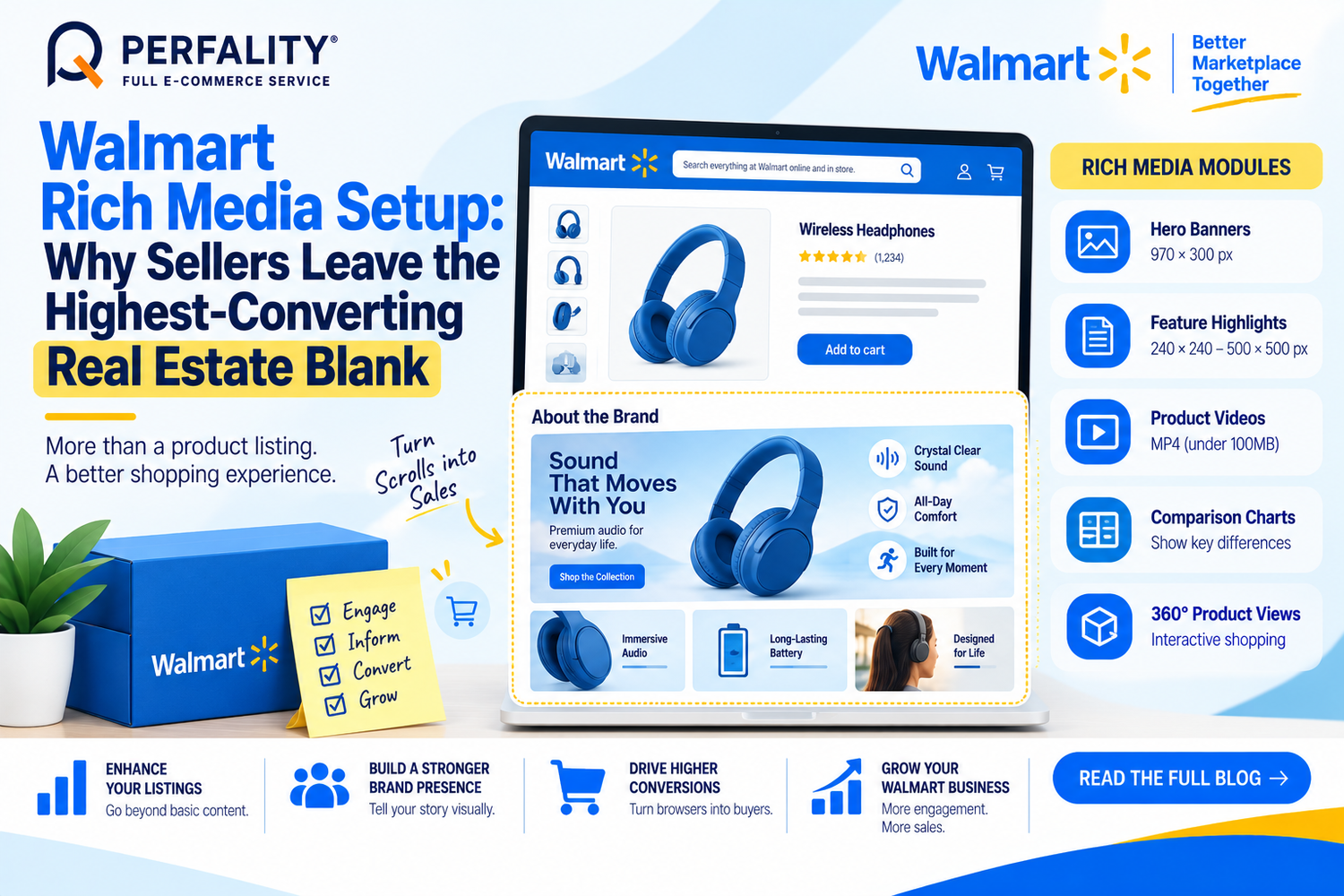
Rich Media is the enhanced, interactive content that appears in the “About the Brand” section below the main images and primary description — Walmart calls this below-the-fold content. Available modules include hero banners, feature highlights with icons, comparison charts, 360-degree product views, and embedded video.
Technical specs matter here: hero banner images should be 970×300 pixels, supporting feature images 240×240 to 500×500 in PNG format, and videos must be MP4 under 100MB with a compliant thumbnail. Getting these specs wrong is a common reason Rich Media submissions get rejected or fail to render correctly.
Who Can Actually Use It
Rich Media is generally available to brand owners and sellers in good standing, uploaded either directly through Seller Center’s Media Library or via an approved Connected Content Solution Provider. Not every product in a catalog needs fully individualized content — Walmart supports bulk-uploading modules that showcase a product line or educate customers about the brand across multiple SKUs at once.
How to Get Rich Media Setup Right
- Confirm eligibility in Seller Center before building assets — some categories carry specific content restrictions.
- Prioritize top-performing SKUs first, then expand Rich Media to the rest of the catalog rather than trying to cover everything at once.
- Match technical specs exactly: 970×300 hero banners, correctly sized feature images, and MP4 video under the file-size cap.
- Front-load the core product benefit in the first five seconds of any video — most shoppers won’t watch past a generic opening.
- Reuse Rich Media modules across a product line where the content genuinely applies, rather than treating every SKU as needing custom assets.
How Perfality Approaches This
For Walmart catalogs, Rich Media setup starts with prioritization and spec compliance rather than trying to build everything for every SKU at once. That includes:
- Eligibility and category-restriction check: confirmed in Seller Center before any assets are built, avoiding wasted design time on ineligible categories.
- Top-SKU prioritization: Rich Media is built first for the highest-traffic or highest-margin products, then expanded outward, rather than spread thin across the whole catalog immediately.
- Exact spec compliance: hero banners, feature images, and video assets are built to Walmart’s precise pixel and file-size requirements the first time, avoiding rejection cycles.
- Cross-platform asset reuse: where a brand already has Amazon A+ Content, relevant imagery and messaging are reformatted for Walmart’s module structure rather than rebuilt from scratch.
Related Services
If a catalog has strong A+ Content on Amazon but a blank below-the-fold section on Walmart, that’s lost conversion sitting on the table for very little extra work — most of the underlying assets already exist and just need reformatting. This is exactly the kind of high-leverage, low-effort fix worth prioritizing before building anything from scratch.
Depending on how you’re searching, this kind of support is also known by these names:
- Full-service Amazon management: Full Service Amazon Management, Full Service Amazon Agency, Amazon Full Service Agency, Full Service Amazon Marketing Agency, Best Full-Service Amazon Agency, Best Full Service Amazon Agency
- FBA-focused support: Amazon FBA Management Agency, Amazon FBA Agency, Amazon FBA Marketing Agency, Amazon FBA Management Service
- Listing and content optimization: Amazon Listing Optimization Services, Amazon Listing Optimization Agency, Amazon Listing Optimization Service, Amazon Product Listing Optimization Service, Amazon Product Listing Optimisation Service, Amazon Product Listing Optimisation Service USA
- Product listing services: Amazon Product Listing Service, Amazon Product Listing Service Provider, Best Amazon Product Listing Service Agency
- PPC and advertising management: Amazon PPC Management Service, Amazon PPC Management Service Agency, Best Amazon PPC Management Service, PPC Management Service For Amazon
- Account management: Best Amazon Account Management Services, Amazon Ecommerce Company
Rich Media is enhanced, interactive content — hero banners, comparison charts, videos, 360-degree views — displayed below the fold in the ‘About the Brand’ section, similar to Amazon’s A+ Content. A regular description is plain text only.
The underlying assets and messaging can be reformatted for Walmart’s module structure and specs, but Rich Media needs to be rebuilt to Walmart’s specific pixel dimensions and file requirements rather than uploaded directly.
Generally brand owners and sellers in good standing, uploaded through Seller Center’s Media Library or an approved Connected Content Solution Provider. Some categories carry additional content restrictions worth confirming first.
If this is a recurring pain point rather than a one-off, it’s usually worth a quick conversation. Book a free 30-minute call with our team and we’ll walk through what’s actually happening on your account.
Have any questions? Let’s connect!

