




- Perfality
- October 6, 2026
- 2:30 pm
- Read Time: 10 mintues
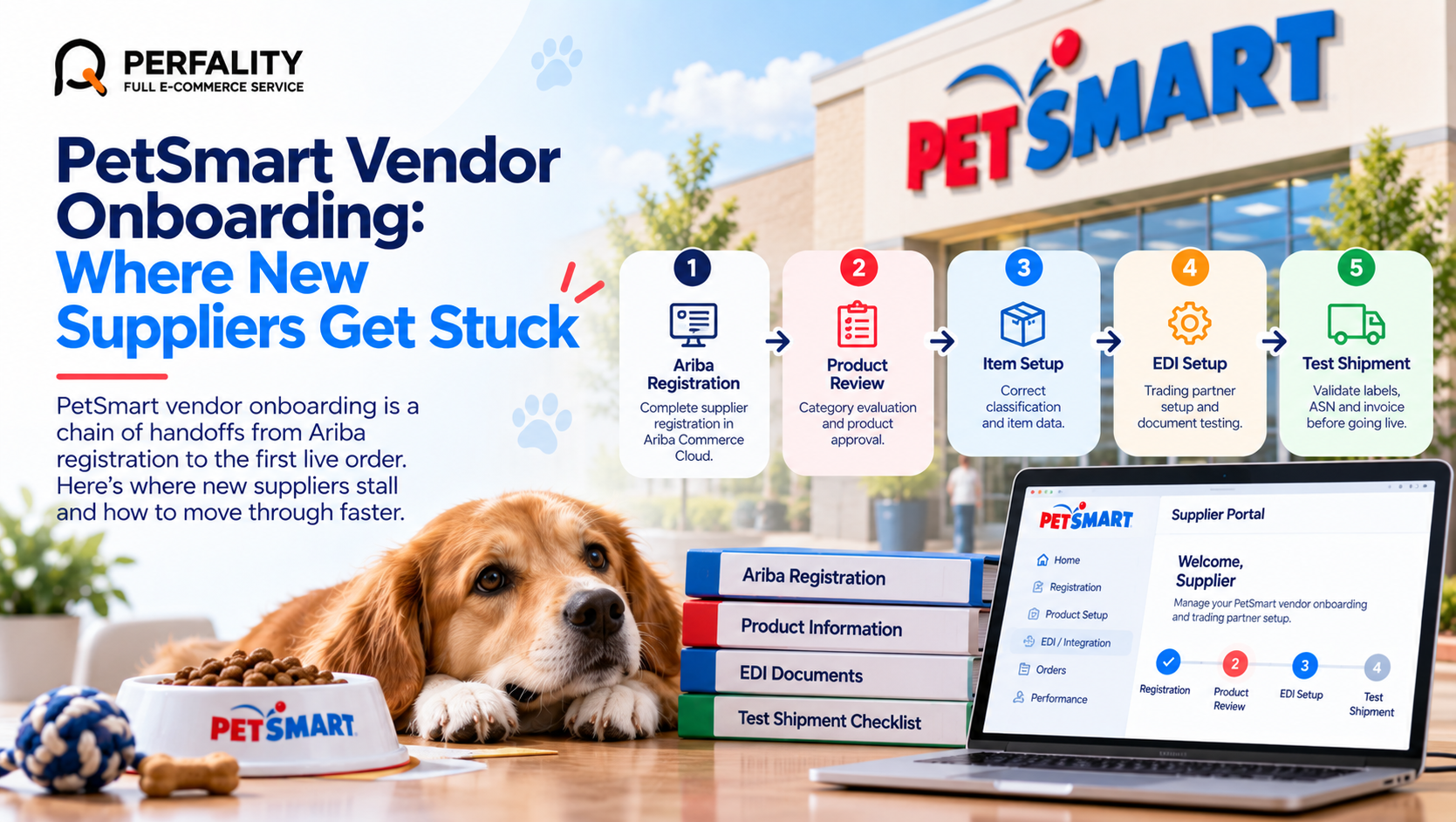
A new supplier wins a conversation with a PetSmart category manager and assumes the hard part is over. Then the real work starts: registration, product review, item setup, EDI testing and a test shipment, each with its own gatekeeper. PetSmart vendor onboarding is less a single application than a chain of handoffs, and a stall at any link quietly pushes the launch date back.
Vendor-facing guides describe four stages: registration through Ariba Commerce Cloud, product evaluation and category review, EDI integration and system setup, and launch with performance monitoring. Most delays are not caused by PetSmart being slow. They come from a supplier arriving at a stage with incomplete or inconsistent information.
PetSmart Quick Facts: Onboarding Stages
Area | What to know |
Registration | Supplier registration runs through Ariba Commerce Cloud before any product work begins. |
Product review | Category managers evaluate the line, and samples may be requested. |
Item setup | Items need correct classification before purchase orders can flow. |
EDI setup | A trading partner ID, an AS2 or VAN connection and document testing come before the first live order. |
Test shipment | A test shipment validates labels, ASN and invoice before production. |
After launch | Performance is monitored on a scorecard and discussed in business reviews. |
Why PetSmart Vendor Onboarding Stalls
Each stage depends on data from the one before it. Ariba registration captures legal and payment details, product review sets the category and cost conversation, and the EDI team needs item numbers, case packs and ship-from details that match what the buyer approved. When any of those disagree, the work goes back to the start of that stage rather than forward.
The second cause is ownership. Registration, merchandising and EDI usually sit with three different people on the supplier side, and nobody owns the full timeline. Weeks pass between handoffs without anyone noticing.
The third cause is treating EDI testing as an IT task. The test shipment is where label, ASN and invoice errors surface, and those errors are commercial problems as much as technical ones.
What This Looks Like in Practice
Picture a supplier of dog treats that completes Ariba registration in a week and then waits. The buyer approves the line, but the item data sent to the EDI team lists a 12-count case while the buyer sheet says 10. The first test purchase order arrives, the quantities do not reconcile, and the trading partner setup has to be redone. Nothing was wrong with the product or the relationship. One unchecked number added weeks, and the launch slipped past the seasonal window the buyer had in mind.
Step-by-Step: Moving Through Onboarding Without Rework
- Appoint one owner. One person tracks the whole path from Ariba to the first production order against a dated plan.
- Finish Ariba registration cleanly. Gather legal entity, tax and banking documents first so the profile is not returned for corrections.
- Build one item master. Case pack, dimensions, weight, UPC and cost should be identical in every document you send.
- Lock item data before EDI. Changing a case pack after the trading partner ID is issued forces rework in both item setup and EDI mapping.
- Test every document type. Run the 850, 855, 856, 810 and 997 end to end, plus the 846 and 860 if your program requires them.
- Treat the test shipment as a dress rehearsal. Use real labels, real cartons and a real ASN so problems surface before volume does.
Onboarding Mistakes We See Most Often
Common mistake | What actually happens |
Different case pack data sent to the buyer and the EDI team | Orders arrive in quantities your warehouse cannot fill. |
Treating registration approval as ordering approval | Items are not set up yet, so no purchase order can be created. |
Skipping the label review | The first shipment fails scan checks at the distribution center. |
No named owner for the timeline | Weeks are lost between handoffs and nobody sees it. |
Prevention Checklist
- Ariba profile complete and approved
- One item master used for the buyer, item setup and EDI
- Case pack, UPC, dimensions and weight verified against the physical product
- All required EDI documents tested end to end
- Test shipment labeled and ASN’d exactly as production will be
- An owner and escalation contact named for every stage
How Perfality Approaches This
We treat onboarding as a project with a plan, not a series of forms. For PetSmart suppliers that means:
- Onboarding project plan: a dated plan across registration, item setup, EDI and test shipment, with one accountable owner.
- Item master audit: every case pack, UPC, cost and dimension checked against the physical product before it reaches the buyer or the EDI team.
- EDI readiness review: each required document mapped and checked against your system before testing begins.
- Test shipment rehearsal: labels, cartons and ASN reviewed against the requirements before the real carrier pickup.
- Handover to monitoring: the first scorecard cycle watched closely so early issues are caught, not discovered at the first review.
Related Services
If onboarding has stalled between stages, a second set of eyes on the item data and EDI plan usually unlocks it faster than waiting on the next email. For a broader view of how we support pet retail suppliers, see our PetSmart retailer management service. Depending on where this issue keeps recurring, this is the kind of support that typically helps:
- Full-service Amazon management: Full Service Amazon Management, Full Service Amazon Agency, Amazon Full Service Agency, Full Service Amazon Marketing Agency, Best Full-Service Amazon Agency, Best Full Service Amazon Agency
- FBA-focused support: Amazon FBA Management Agency, Amazon FBA Agency, Amazon FBA Marketing Agency, Amazon FBA Management Service
- Listing and content optimization: Amazon Listing Optimization Services, Amazon Listing Optimization Agency, Amazon Listing Optimization Service, Amazon Product Listing Optimization Service, Amazon Product Listing Optimisation Service, Amazon Product Listing Optimisation Service USA
- Product listing services: Amazon Product Listing Service, Amazon Product Listing Service Provider, Best Amazon Product Listing Service Agency
- PPC and advertising management: Amazon PPC Management Service, Amazon PPC Management Service Agency, Best Amazon PPC Management Service, PPC Management Service For Amazon
- Account management: Best Amazon Account Management Services, Amazon Ecommerce Company
If this is a recurring pain point rather than a one-off, it’s usually worth a quick conversation. Book a free 30-minute call with our team and we’ll walk through what’s actually happening on your account.
Frequently Asked Questions
Vendor-facing guides describe four: registration through Ariba Commerce Cloud, product evaluation and category review, EDI integration and system setup, and launch with performance monitoring.
Usually because data differs between stages or no one owns the timeline. A case pack that changes after EDI setup is the classic cause of rework.
Wholesale vendors are generally expected to trade by EDI, with documents such as the 850, 855, 856, 810 and 997. Confirm the exact list for your program with PetSmart.
One named person who can see registration, item data and EDI together. Splitting ownership across three teams is the most common reason timelines slip.
Have any questions? Let’s connect!

