




- Perfality
- September 29, 2026
- 11:39 am
- Read Time: 10 mintues
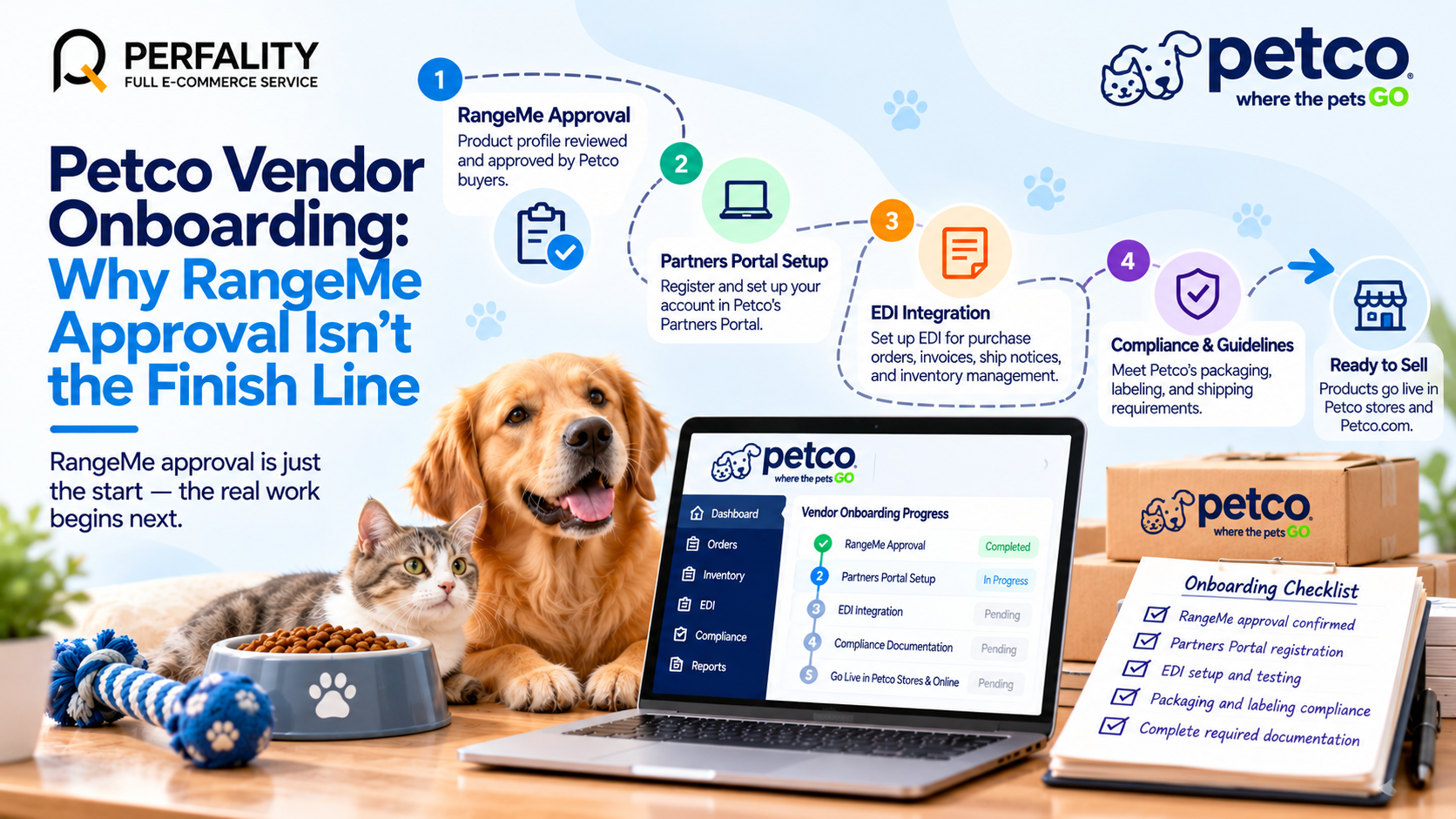
A product profile gets approved through RangeMe, a category buyer expresses interest, and it feels like the hard part is over. Petco vendor onboarding actually shifts into a second, more technical phase at exactly this point — moving from product discovery into the Partners Portal, EDI integration, and Petco’s own compliance documentation, none of which RangeMe approval covers.
Because Petco runs both physical retail stores and Petco.com, the onboarding sequence also has to account for two distinct channels rather than a single e-commerce listing flow.
Where Petco Vendor Onboarding Actually Continues After Approval
- Partners Portal registration: existing and newly approved vendors manage the ongoing relationship through Petco’s Partners Portal, separate from the RangeMe or TradeBeyond discovery step that got the product noticed in the first place.
- Supplier Admin Center setup: banking and financial account information, along with broader supplier information, gets submitted and maintained through this secure portal — a distinct step from the initial product pitch.
- EDI integration: Petco requires electronic data interchange support for purchase orders, invoices, ship notices, and inventory management, with automatic mapping updates that vendors need to stay current with.
- Compliance documentation: packaging, labeling, and shipping guidelines specific to Petco’s vendor compliance program need to be reviewed and implemented before products actually move through distribution.
What This Looks Like When It Goes Wrong
A common pattern: a brand celebrates RangeMe approval internally, treats the deal as essentially closed, and only starts EDI and compliance work once a buyer follows up asking why fulfillment hasn’t started. By that point, weeks have often passed since approval, and the category buyer’s attention has moved elsewhere — a slow technical ramp-up can cool a relationship that started with real momentum, even though nothing about the product itself changed.
How to Move Through the Full Onboarding Sequence Efficiently
- Begin Partners Portal and Supplier Admin Center registration the moment buyer interest is confirmed, rather than waiting for a formal onboarding email to prompt it.
- Start EDI integration planning in parallel with compliance documentation review, since both have real lead time and don’t need to happen sequentially.
- Request Petco’s specific packaging, labeling, and shipping guidelines early, since generic retail packaging standards don’t always match what a specific buyer or category expects.
- Assign a single internal owner to track the full onboarding sequence end to end, since the process spans several distinct systems and handoffs.
How Perfality Approaches This
For Petco vendor accounts, onboarding is managed as one continuous project from RangeMe approval through EDI go-live, not treated as finished at any single milestone. That includes:
- Immediate portal registration: Partners Portal and Supplier Admin Center setup begin as soon as buyer interest is confirmed, rather than waiting on a formal handoff.
- Parallel-track EDI and compliance work: both workstreams start simultaneously rather than sequentially, since each has independent lead time.
- Early guidelines request: Petco’s specific packaging and labeling requirements are requested directly from the buyer relationship early, rather than assumed from generic retail standards.
- Single-owner tracking: one point of contact tracks the full sequence across every system, so no single handoff becomes the reason momentum stalls.
Related Services
If onboarding keeps losing momentum after buyer approval, that’s usually a sign the process needs a dedicated owner tracking every system, not a series of one-off follow-ups after each milestone. Whether that means a partner managing Petco vendor setup end to end or a second set of eyes on an existing EDI integration, this is exactly the kind of operational gap worth closing before it costs a relationship that started with real buyer interest.
Depending on how you’re searching, this kind of support is also known by these names:
- Full-service Amazon management: Full Service Amazon Management, Full Service Amazon Agency, Amazon Full Service Agency, Full Service Amazon Marketing Agency, Best Full-Service Amazon Agency, Best Full Service Amazon Agency
- FBA-focused support: Amazon FBA Management Agency, Amazon FBA Agency, Amazon FBA Marketing Agency, Amazon FBA Management Service
- Listing and content optimization: Amazon Listing Optimization Services, Amazon Listing Optimization Agency, Amazon Listing Optimization Service, Amazon Product Listing Optimization Service, Amazon Product Listing Optimisation Service, Amazon Product Listing Optimisation Service USA
- Product listing services: Amazon Product Listing Service, Amazon Product Listing Service Provider, Best Amazon Product Listing Service Agency
- PPC and advertising management: Amazon PPC Management Service, Amazon PPC Management Service Agency, Best Amazon PPC Management Service, PPC Management Service For Amazon
- Account management: Best Amazon Account Management Services, Amazon Ecommerce Company
Frequently Asked Questions
RangeMe (or TradeBeyond) is used for initial product discovery and buyer review. The Partners Portal is where approved, ongoing vendors manage the actual business relationship, including compliance and account information.
Yes. Petco’s EDI integration covers purchase orders, invoices, ship notices, and inventory management, with mapping updates vendors need to keep current with over time.
Approval through RangeMe or a buyer conversation only confirms interest — Partners Portal registration, Supplier Admin Center setup, EDI integration, and compliance documentation still need to be completed before products can move through distribution.
If this is a recurring pain point rather than a one-off, it’s usually worth a quick conversation. Book a free 30-minute call with our team and we’ll walk through what’s actually happening on your account.
Have any questions? Let’s connect!

