



- Perfality
- September 17, 2026
- 2:31 pm
- Read Time: 10 mintues
A content update goes out — a refreshed title, a new bullet point, an updated backend UPC — and the listing disappears from search the next day. The error code in Seller Central rarely explains itself in plain language, which sends most sellers digging through Manage Inventory just to find out what actually went wrong.
The good news: the causes are a short, well-documented list. Once you know what they are, most of them are avoidable before submission rather than fixable after the fact.
What Actually Gets an Amazon Listing Suppressed
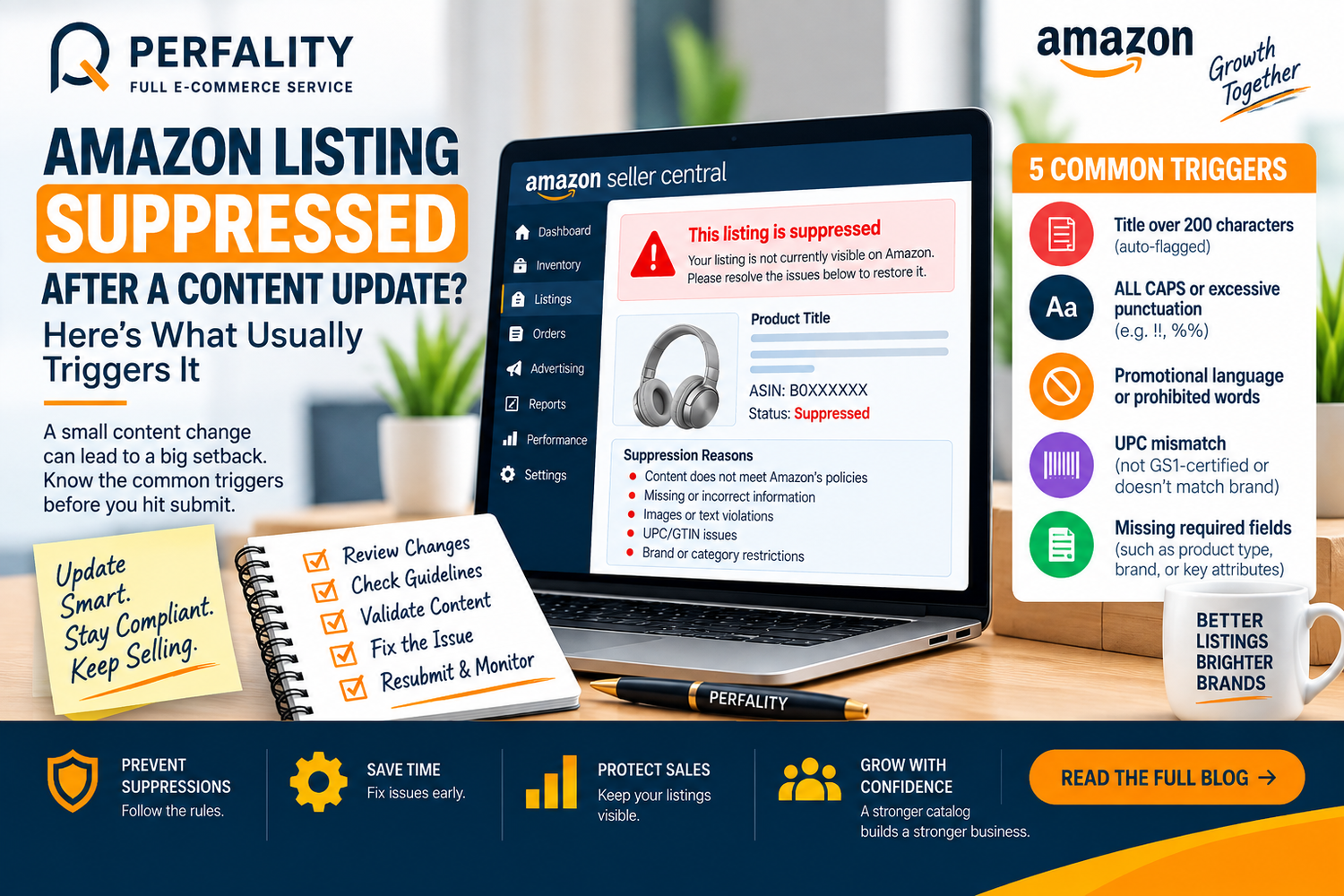
- Titles over 200 characters, which Amazon flags automatically regardless of how relevant the extra words are.
- ALL CAPS text or excessive punctuation like “!!” or “%%%”, both treated as spam formatting.
- Promotional language or prohibited words baked into the title or bullets.
- A UPC that doesn’t match the brand on file, especially common when identifiers aren’t GS1-certified.
- Missing required fields that don’t surface as an obvious error until the listing is already suppressed.
Why the Error Codes Feel So Vague
Amazon’s error codes map to specific root causes, but they don’t always spell out which rule was broken in the submission itself. Sellers who treat every error the same way waste time guessing; the fix is usually specific to the exact code shown.
How to Catch This Before It Happens
- Run every content update through a formatting checklist first: character limits, no all-caps, no promotional symbols.
- Confirm any UPC used is GS1-certified and matches the registered brand exactly.
- Use Amazon’s flat-file “Check My File” feature before submitting, not after rejection.
- Look up the specific error code shown in Seller Central rather than assuming it matches a previous issue.
How Perfality Approaches This
Content updates for client catalogs run through a structured pre-submission process rather than being pushed live as quick edits. That process includes:
- Formatting pass before submission: character limits, capitalization, punctuation, and promotional-language checks run against every update, catching the five common triggers before they ever reach a live listing.
- Flat-file validation first: updates go through Amazon’s “Check My File” check before submission rather than being discovered as a rejection afterward.
- UPC/brand match verification: any identifier used in a content update is confirmed GS1-certified and matched against the registered brand before going out.
- Error-code logging across the account: every historical rejection is logged against its specific code, since a recurring issue on one SKU (like a title-length violation) often means the same template is in use across dozens of others — fixing the template once prevents the mistake from repeating.
Fast diagnosis on live suppressions: when something does get suppressed, the priority is pulling the exact error code from Seller Central immediately rather than guessing, since a suppressed high-volume SKU can lose more in sales during a slow diagnosis than the entire prevention process would have cost.
Related Services
Recurring content suppressions almost always point to a template problem rather than a one-off typo — if the same formatting mistake keeps resurfacing on different SKUs, that’s a sign the underlying template needs rebuilding, not another round of one-off fixes. That’s a straightforward fix for a team that manages this kind of content regularly, since the pattern is usually obvious once someone looks across the whole catalog rather than one listing at a time.
Depending on how you’re searching, this kind of support is also known by these names:
- Full-service Amazon management: Full Service Amazon Management, Full Service Amazon Agency, Amazon Full Service Agency, Full Service Amazon Marketing Agency, Best Full-Service Amazon Agency, Best Full Service Amazon Agency
- FBA-focused support: Amazon FBA Management Agency, Amazon FBA Agency, Amazon FBA Marketing Agency, Amazon FBA Management Service
- Listing and content optimization: Amazon Listing Optimization Services, Amazon Listing Optimization Agency, Amazon Listing Optimization Service, Amazon Product Listing Optimization Service, Amazon Product Listing Optimisation Service, Amazon Product Listing Optimisation Service USA
- Product listing services: Amazon Product Listing Service, Amazon Product Listing Service Provider, Best Amazon Product Listing Service Agency
- PPC and advertising management: Amazon PPC Management Service, Amazon PPC Management Service Agency, Best Amazon PPC Management Service, PPC Management Service For Amazon
Account management: Best Amazon Account Management Services, Amazon Ecommerce Company
Titles over 200 characters are automatically flagged by Amazon, regardless of how relevant the additional words are to the product.
It validates a flat-file submission for formatting and data errors before it’s submitted, catching issues like missing fields or invalid characters before they cause a rejection or suppression.
Yes. A single field, like an incorrectly formatted UPC or a brand mismatch, can trigger suppression regardless of how long the listing has otherwise been live and compliant.
If this is a recurring pain point rather than a one-off, it’s usually worth a quick conversation. Book a free 30-minute call with our team and we’ll walk through what’s actually happening on your account.
Have any questions? Let’s connect!

