




- Perfality
- October 8, 2026
- 6:32 pm
- Read Time: 10 mintues
A supplier submits a product to PetSmart with strong photography and a polished description, and the item still comes back for correction. The surprise is usually that the problem is not the creative. PetSmart product content requirements sit on top of a data foundation: classification, dimensions, case packs and compliance documents that have to agree with each other.
In pet, content errors carry more weight than in most categories. A wrong life stage, an unclear ingredient panel or a mismatched size can change what a shopper buys for an animal, so reviewers look closely at consistency before a product goes live.
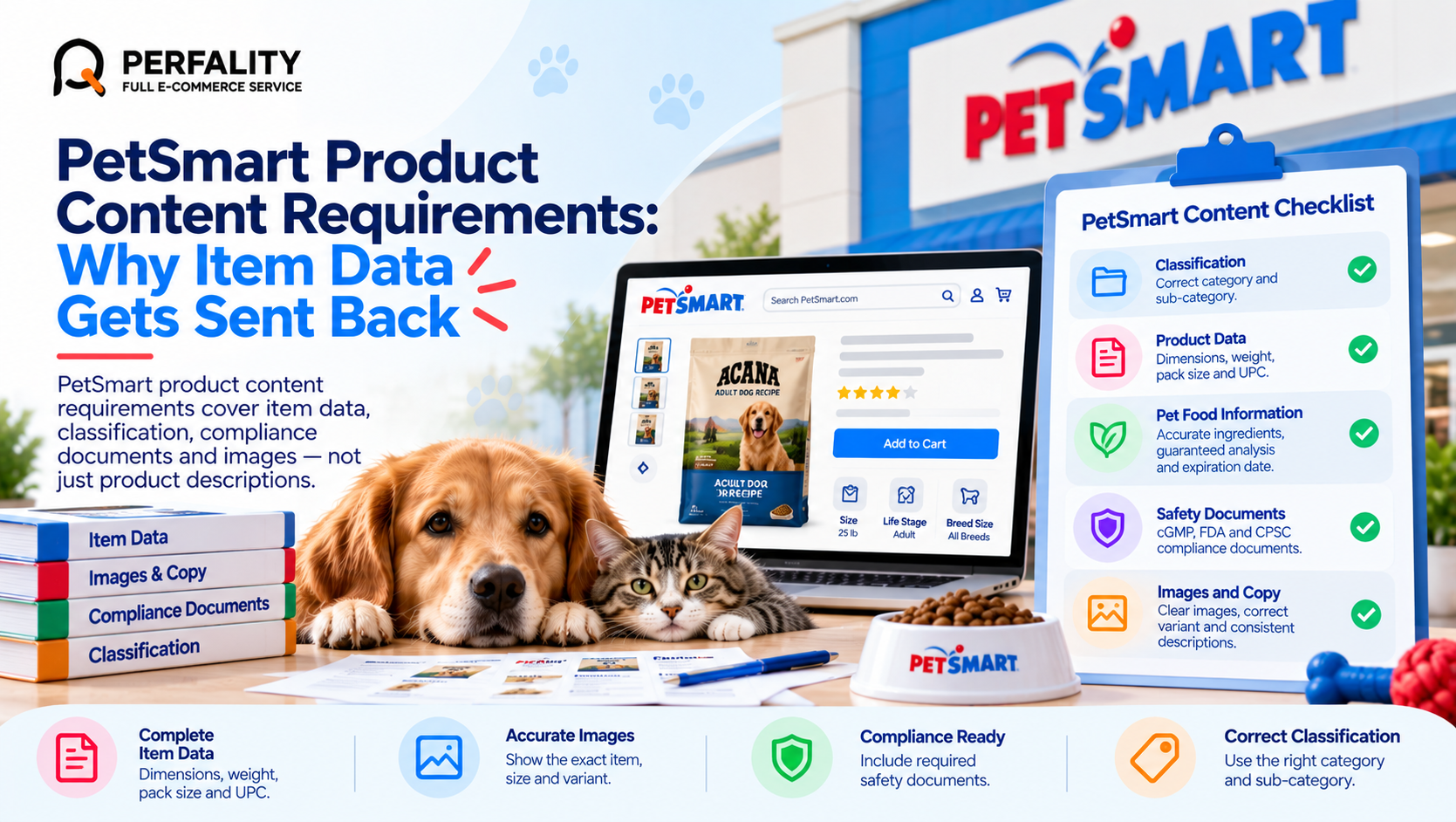
PetSmart Quick Facts: Content Review Areas
Area | What to know |
Classification | Items are set up under a category, and the wrong classification can send the product down the wrong review path. |
Product data | Dimensions, weight, pack size and UPC must match the physical product and the EDI item data. |
Pet food | Consumables need accurate expiration data, and guaranteed analysis and ingredients should match the package. |
Safety documents | Vendor guides cite cGMP, FDA and CPSC requirements with supporting safety documentation. |
Images and copy | Images and descriptions should show the exact item, size and variant being sold. |
Why PetSmart Product Content Requirements Trip Suppliers Up
Most rejections trace back to the same pattern: the content was built once for another retailer and adapted quickly. A description written for a marketplace may state a pack size that the PetSmart item record does not match, or a variant image may show a different count than the one being ordered.
Because the item record also feeds ordering and EDI, a data correction is rarely just a content edit. The same value has to be updated in the buyer submission, the item setup and the downstream documents, or the mismatch simply reappears later.
A second pattern is missing documentation. Products that fall under food, health or safety rules need supporting paperwork, and its absence delays approval even when everything visible on the product page looks right.
What This Looks Like in Practice
Picture a supplier of cat litter that reuses its marketplace listing for a PetSmart submission. The description says 20 lb, the item record says 18 lb after a recent pack change, and the image shows the old bag. Review flags the mismatch and returns the item. The supplier fixes the copy but not the item record, so the same mismatch returns two weeks later when data syncs. Three places had to be corrected, and only one was.
Step-by-Step: Building Content That Passes the First Time
- Start from the physical product. Measure, weigh and photograph the sellable unit so every field is based on what ships, not on a legacy spreadsheet.
- Confirm classification with the buyer. Agree the category before filling in attributes, since attribute sets differ by category.
- Match the package. Ingredients, guaranteed analysis, sizes and claims should read exactly as they do on the pack.
- Check variants one by one. Each size, flavor or count needs its own correct image, UPC and dimensions.
- Attach compliance documents up front. Collect safety and regulatory paperwork with the submission rather than waiting to be asked.
- Use current specs. Confirm image and data requirements against PetSmart’s current vendor guidance before every submission.
Content Mistakes That Cause Rework
Common mistake | What actually happens |
Reusing a marketplace description unchanged | Pack size, claims or terminology conflict with the PetSmart item record. |
One image reused across all variants | Shoppers and reviewers see the wrong size or count for the item ordered. |
Updating copy but not item data | The corrected content is overwritten the next time data syncs. |
Submitting without safety documentation | Approval waits on paperwork that could have been included at the start. |
Prevention Checklist
- Dimensions and weight measured from the sellable unit
- Category classification confirmed with the buyer
- Ingredients, analysis and claims match the package
- Every variant has its own image, UPC and data
- Compliance documents attached to the submission
- Specs confirmed against current PetSmart guidance
How Perfality Approaches This
We build product content as one dataset that feeds every channel, so a fix is made once and carried everywhere. For PetSmart suppliers that includes:
- Item data audit: every attribute checked against the physical product and the package before submission.
- Variant-level review: images, UPCs and pack data verified for each size, flavor and count.
- Retailer-specific adaptation: copy and attributes rewritten for PetSmart rather than pasted from another marketplace.
- Compliance documentation tracking: regulatory and safety paperwork collected and filed against each item.
- Single source of truth: corrections made once in the master file and pushed to every document that depends on it.
Related Services
If the same item data keeps coming back for correction, the fix is usually a cleaner master file and a repeatable review before submission. For a broader view of how we support pet retail suppliers, see our PetSmart retailer management service. Depending on where this issue keeps recurring, this is the kind of support that typically helps:
- Full-service Amazon management: Full Service Amazon Management, Full Service Amazon Agency, Amazon Full Service Agency, Full Service Amazon Marketing Agency, Best Full-Service Amazon Agency, Best Full Service Amazon Agency
- FBA-focused support: Amazon FBA Management Agency, Amazon FBA Agency, Amazon FBA Marketing Agency, Amazon FBA Management Service
- Listing and content optimization: Amazon Listing Optimization Services, Amazon Listing Optimization Agency, Amazon Listing Optimization Service, Amazon Product Listing Optimization Service, Amazon Product Listing Optimisation Service, Amazon Product Listing Optimisation Service USA
- Product listing services: Amazon Product Listing Service, Amazon Product Listing Service Provider, Best Amazon Product Listing Service Agency
- PPC and advertising management: Amazon PPC Management Service, Amazon PPC Management Service Agency, Best Amazon PPC Management Service, PPC Management Service For Amazon
- Account management: Best Amazon Account Management Services, Amazon Ecommerce Company
If this is a recurring pain point rather than a one-off, it’s usually worth a quick conversation. Book a free 30-minute call with our team and we’ll walk through what’s actually happening on your account.
Frequently Asked Questions
Beyond images and copy, they cover classification, dimensions, pack data, UPCs and compliance documentation. Confirm the current detail with PetSmart for your category.
Often because item data conflicted across documents, such as a pack size that differs between the buyer submission and the item record.
Consumables generally need accurate expiration information and ingredient and analysis data that match the package, plus relevant regulatory documentation.
It is a good starting point, but it should be reviewed against the PetSmart item record, since pack sizes, claims and terminology often differ.
Have any questions? Let’s connect!

